博客

  • Deckset 2.0.49 macOS 演示文稿 Markdown即写即演 · 十大主题秒切 · 实时浮动预览

    Deckset 2.0.49 macOS 演示文稿 Markdown即写即演 · 十大主题秒切 · 实时浮动预览

    Deckset

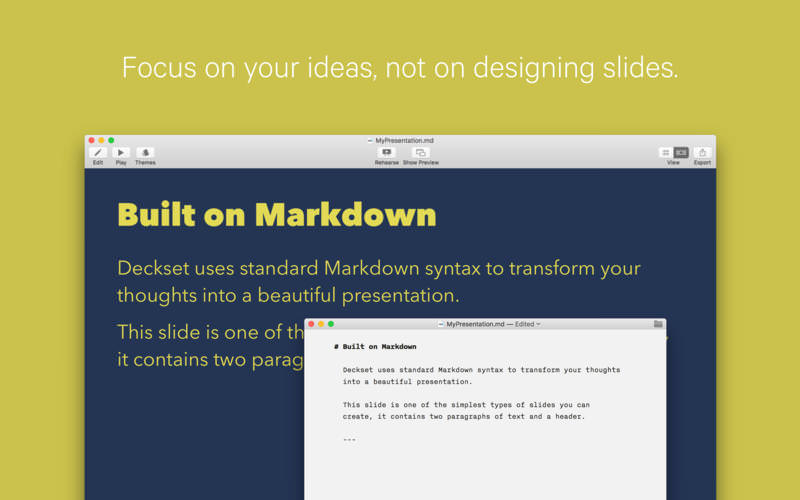
    还在为排版分心?把时间还给思想本身——Deckset 让你用纯文本写作的方式,一键生成专业级演示文稿。打开任意支持Markdown的编辑器(VS Code、Typora、甚至系统备忘录),敲下标题、列表、代码块或公式,保存后立刻在Deckset中看到动态渲染的幻灯片,全程无需切换界面、不碰格式按钮、不拖拽元素。

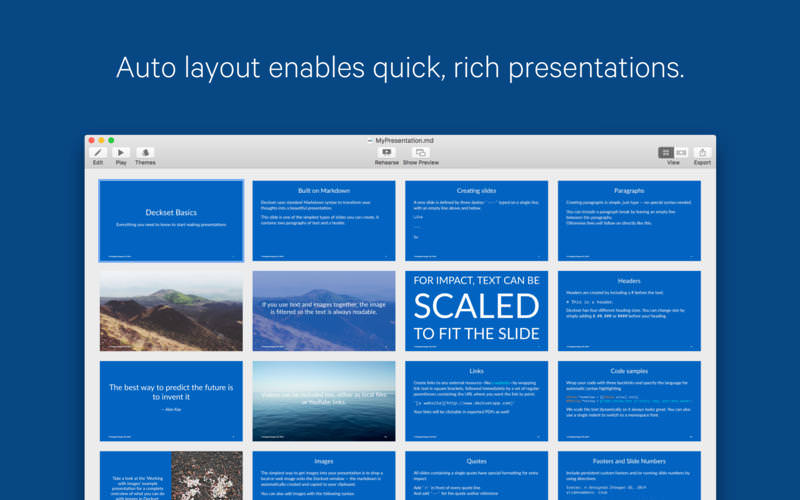
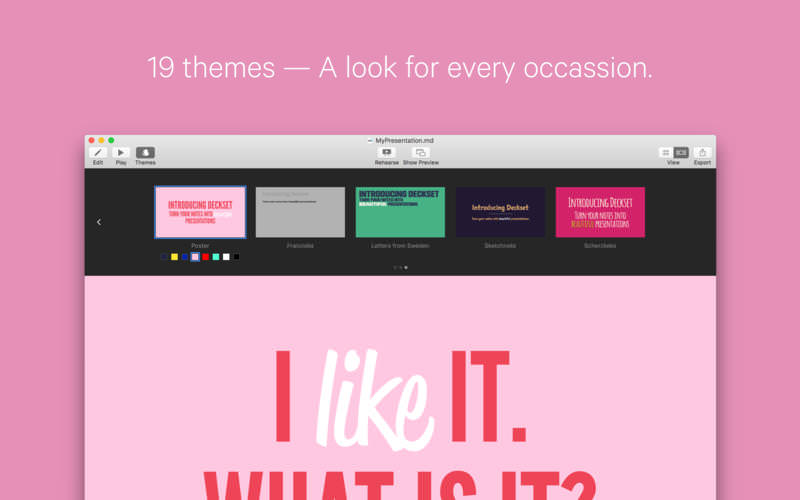
    告别“做PPT式焦虑”:它不提供画布、不设图层、不强制动画路径——只专注一件事:把你的文字逻辑,精准转化为有呼吸感的视觉叙事。商务汇报、技术分享、教学课件、投资人路演……十套精研主题早已覆盖全部场景:从极简灰阶商务风,到高对比科技蓝调,再到柔和手绘质感,每一套都通过字体层级、行距节奏与色值灰度的深度调校,确保投影清晰、暗光可读、移动端适配。

    真正让效率起飞的细节:

    • 浮动预览窗实时同步编辑——边写边看效果,缩放/翻页/换主题全无延迟
    • 代码块自动语法高亮 + 智能缩放适配屏幕,Python、Rust、SQL 一行不糊
    • 图片拖入即用,支持CMD+V直贴本地图,还能单独调节透明度强化视觉焦点
    • 内置演讲者模式:左侧显示逐页备注+计时器,右侧同步播放幻灯片,彩排如临现场
    • SVG矢量图完美渲染(含嵌套样式)、Mermaid流程图原生支持、LaTeX公式开箱即用(内购解锁)
    • 一键导出PDF带书签/超链接,适配A4打印与16:9/4:3/21:9任意投影比

    为什么开发者、讲师和创业者都在用它?因为Deckset不是“又一个PPT工具”,而是把演示文稿回归本质的生产力协议——你负责思考,它负责惊艳。

    What's New:

    Version 2.0.45:

    新增:代码块背景灰度可精细调节(支持0–100%透明度自由定义)
    新增:段落前加「>」符号即可自动转为演讲者备注,无需切换面板
    新增:图片支持独立透明度控制,轻松营造景深层次感
    新增:支持CMD+V直接粘贴图像至text-bundle项目,自动归档至assets文件夹
    升级:全面适配macOS Tahoe系统底层渲染引擎
    升级:集成最新版Mermaid.js(v11.4+),流程图/甘特图/类图渲染更稳定
    修复:展开演讲者面板后UI错位问题
    修复:自定义项目符号(如◆、→)导致的列表缩进异常
    修复:含子元素CSS样式的SVG渲染失真
    修复:演示过程中动态修改构建步数引发的崩溃

    Screenshots:

    下载地址:

  • Ableton Live 12 Suite 12.3.7 macOS 音乐制作 智能MIDI生成+MPE原生支持+神经音色搜索

    Ableton Live 12 Suite 12.3.7 macOS 音乐制作 智能MIDI生成+MPE原生支持+神经音色搜索

    Ableton Live Suite 12

    你不再需要在“编曲”和“即兴”之间做选择——Live 12 Suite 让二者无缝共生。无论是深夜打磨一首氛围电子小样,还是在舞台上实时重构整首曲目,它都以毫秒级响应、零中断的创作流,成为你脑内旋律最忠实的扩音器。

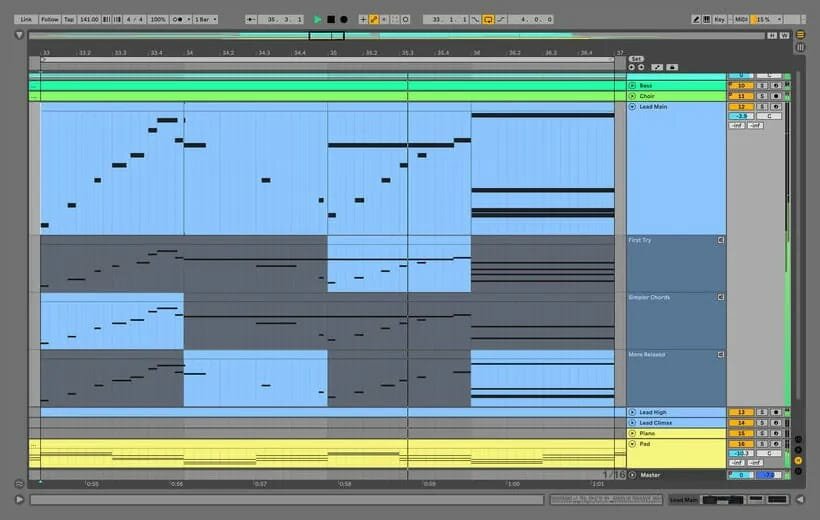
    想让一段单调的MIDI旋律瞬间鲜活?试试全新「MIDI Transformations」:一键添加颤音装饰、手绘速度渐变曲线、模拟吉他扫弦的时序错位,甚至将单音自动延展为带张力的和声进行——所有操作都在Clip内完成,音乐从不暂停。

    灵感枯竭时,直接召唤「MIDI Generators」:设定调性、节奏密度与情绪倾向,让它为你生成跳跃的贝斯动机、迷幻的琶音织体或反常规的鼓组律动;再用鼠标轻点拖拽,把AI迸发的火花,变成只属于你的音乐DNA。

    更震撼的是底层进化:Max for Live 现已深度打通MIDI生成与变形逻辑——你不仅能调用预设工具链,更能像搭积木一样组合、改写、封装自己的智能音序模块,把创意控制权彻底握在手中。

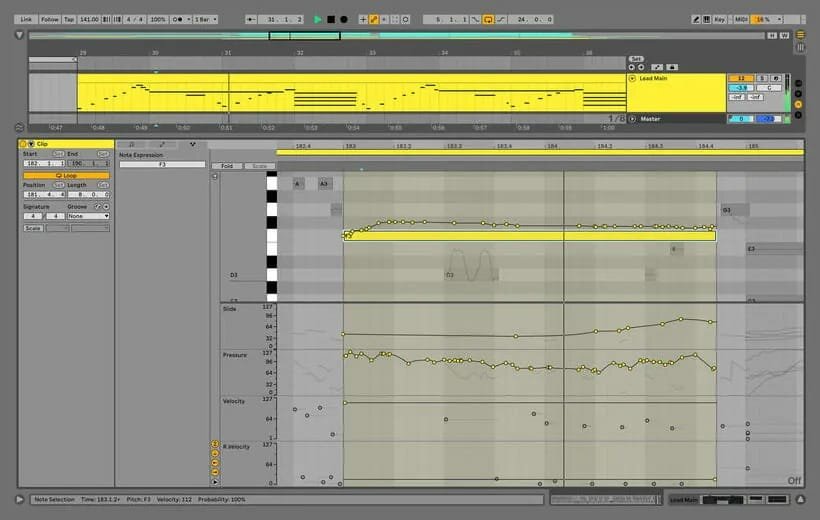
    编辑体验全面重写:选中一组音符,按音高/力度/时长一键排序;用“切片-拉伸-粘合”新范式重塑节奏骨架;在任意调式中智能转调,或叠加精准半音/调内音程——连最苛刻的微分音实验,也能通过全新「Tunings」系统直通Just Intonation、Harry Partch体系,甚至驱动MPE插件同步响应。

    声音引擎迎来双核革命:「Meld」——首款原生MPE双层合成器,仅靠两个宏观振荡器滑块,就能揉出工业质感的纹理噪音、水下呼吸般的空间脉冲;而「Granulator III」已进化为实时颗粒工作站:录音键按下瞬间,音频即被切片、扭曲、悬浮,配合MPE弯音轮实现真正“可演奏的颗粒云”。

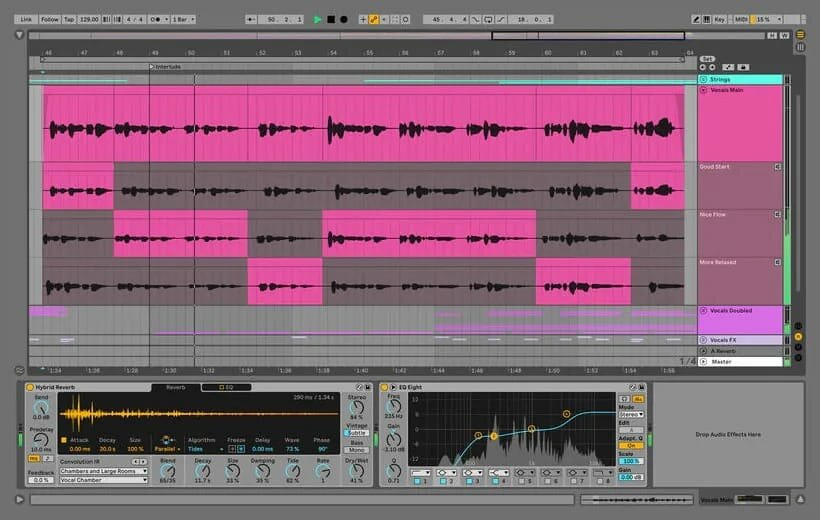
    混音不再妥协:「Roar」饱和效果器打破传统三段式思维——三阶饱和单元可自由串联、并联,甚至拆解到Mid/Side频域或四频段独立染色;内置反馈发生器+全参数调制矩阵,让温暖胶片感与失控电路啸叫,只隔一次旋钮旋转的距离。

    工作流彻底解放:「Stacked Detail Views」让你同时盯着Clip编辑区与设备参数页;「Mixer in Arrangement」终于落地——现在,你在时间线上混音时,也能享受Session View同款动态推子与声像可视化;浏览器升级为“音乐搜索引擎”:输入“808 sub”,立刻聚合所有库内808采样、合成器预设、Drum Rack,无视文件夹层级;用「Sound Similarity Search」上传一段雨声,它会推荐12种不同湿度的环境音效,或一键替换整个Drum Rack,生成50套风格迥异的打击乐套组。

    细节处见真章:新主题系统支持冷调科技灰、暖光工作室橙与高对比无障碍模式;键盘导航覆盖98%界面节点,屏幕阅读器可精准播报Clip状态与设备链拓扑;「Browser History」像网页历史一样回溯你的声音探索路径——上一秒听过的失真贝斯,下一秒就能从历史栏拖进轨道。

    还有两套不可错过的首发音色包:「Lost and Found」用生锈弹簧、碎玻璃、老式电话拨号音构建真实世界音景;「Performance Pack」则让演出升维——快照冻结当前全部参数,多层宏曲线同步映射硬件推子,甚至能在Arrangement里预先编排Loop触发逻辑,把即兴变成精密的交响仪式。

    这不是一次版本更新,而是音乐人操作系统的一次越狱。当别人还在适应新功能时,你已用Live 12 Suite把想象力直接焊进DAW的每一行代码里。

    Screenshots:

    下载地址:

    [vip]

    [/vip]

    相关下载:

  • Notebooks 4.0.0 macOS 笔记管理 全格式本地存储 跨设备 Liquid Glass 同步

    Notebooks 4.0.0 macOS 笔记管理 全格式本地存储 跨设备 Liquid Glass 同步

    Notebooks 4.0.0

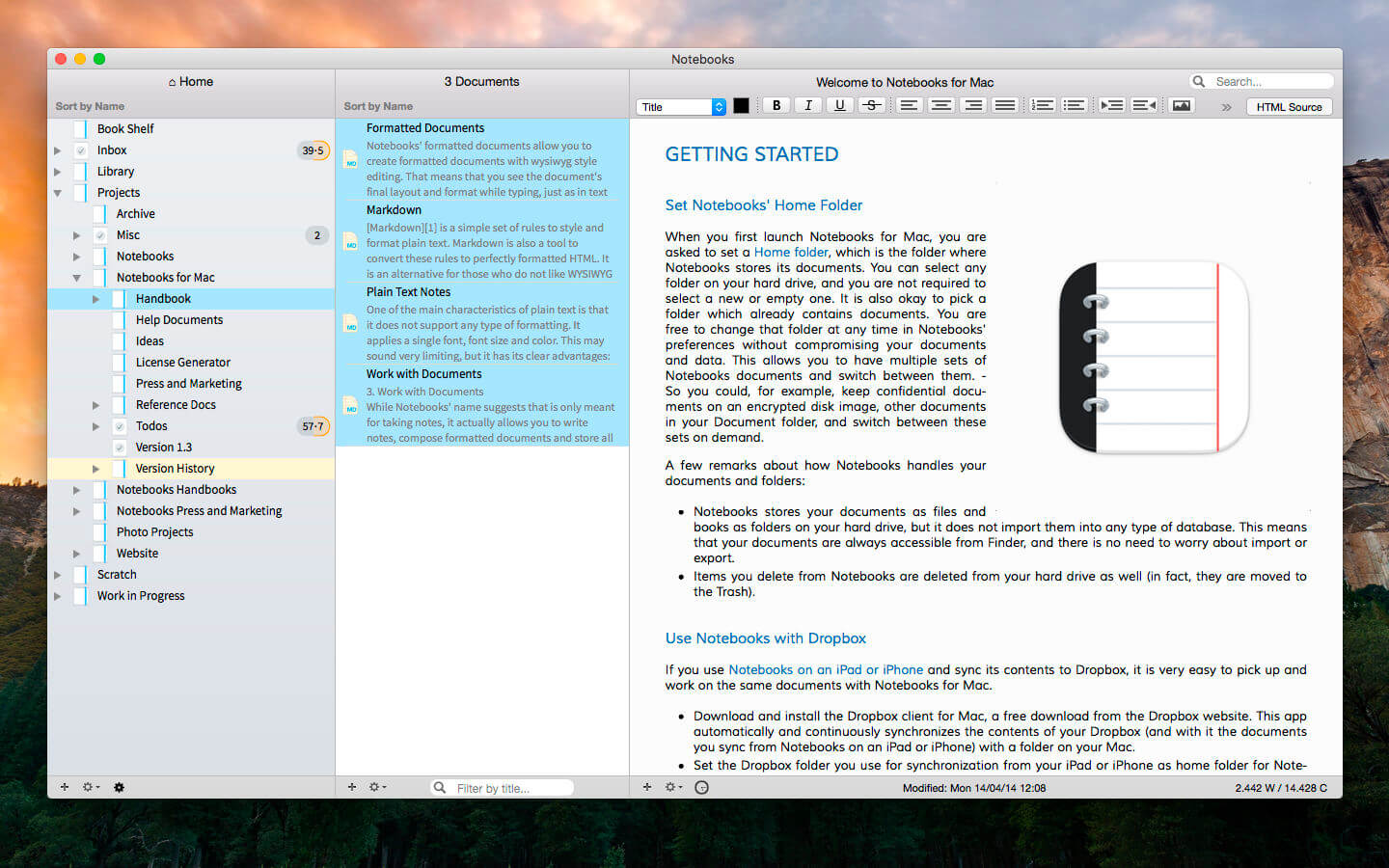
    还在为笔记散落各处、项目混杂、灵感转瞬即逝而焦虑?你值得一个真正属于自己的数字中枢——Notebooks 不只是笔记软件,而是你思想的延伸、任务的引擎、知识的图书馆,更是 Mac 上最可靠的内容操作系统。

    你可以随心创建无限个「书册」:写晨间日记、存会议速记、归档客户合同、整理小说大纲、收藏网页干货……所有内容——无论文字、PDF、Office 文档、网页快照、高清图片、短视频甚至音频片段——全部原生支持,无需转换、不锁格式、不依赖云端。

    更关键的是:它把一切存在你硬盘里。每个笔记都是标准文件(.txt, .pdf, .docx 等),双击 Finder 就能用 Pages、Preview 或 Final Cut Pro 直接打开编辑——自由度拉满,掌控感十足。

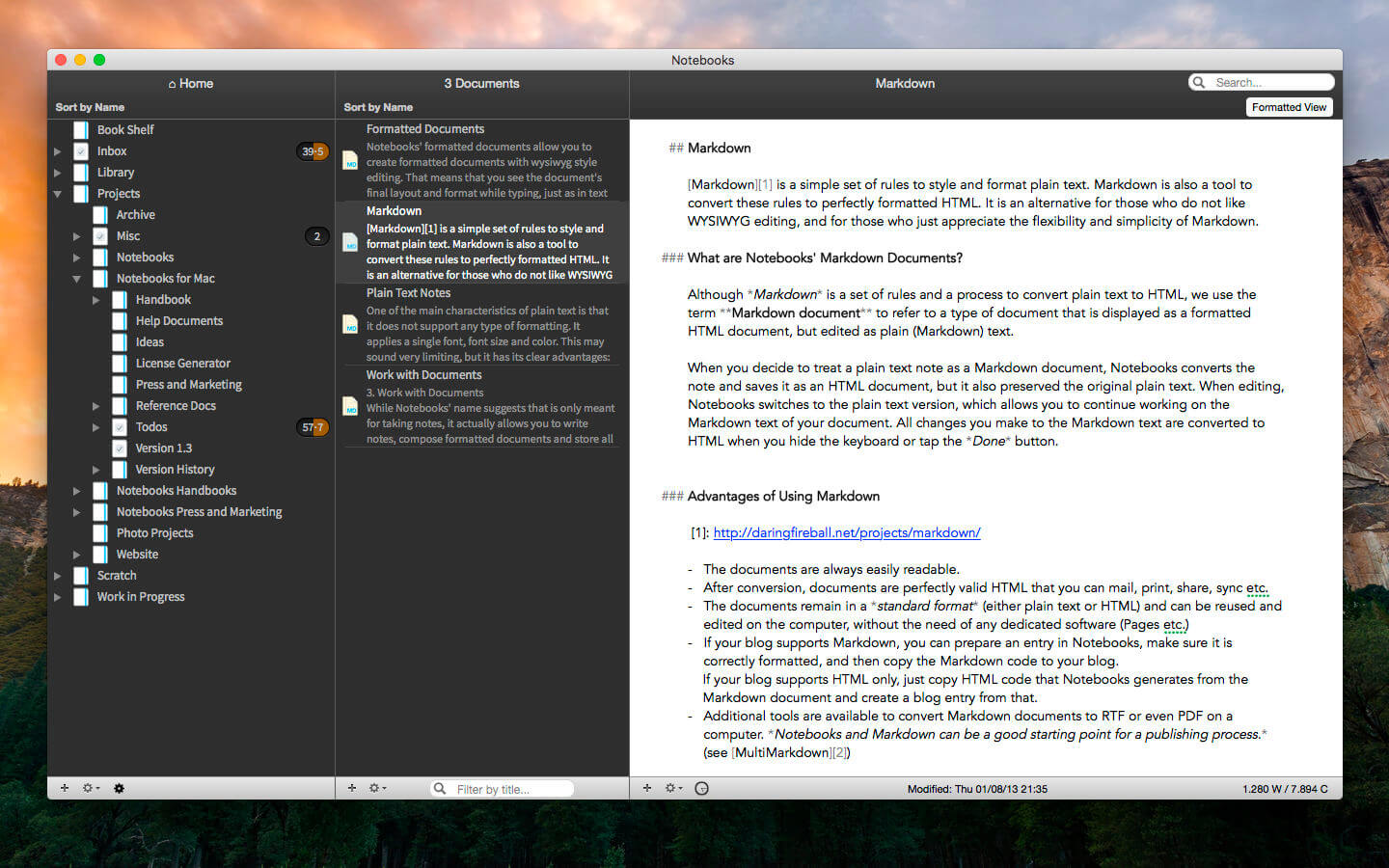
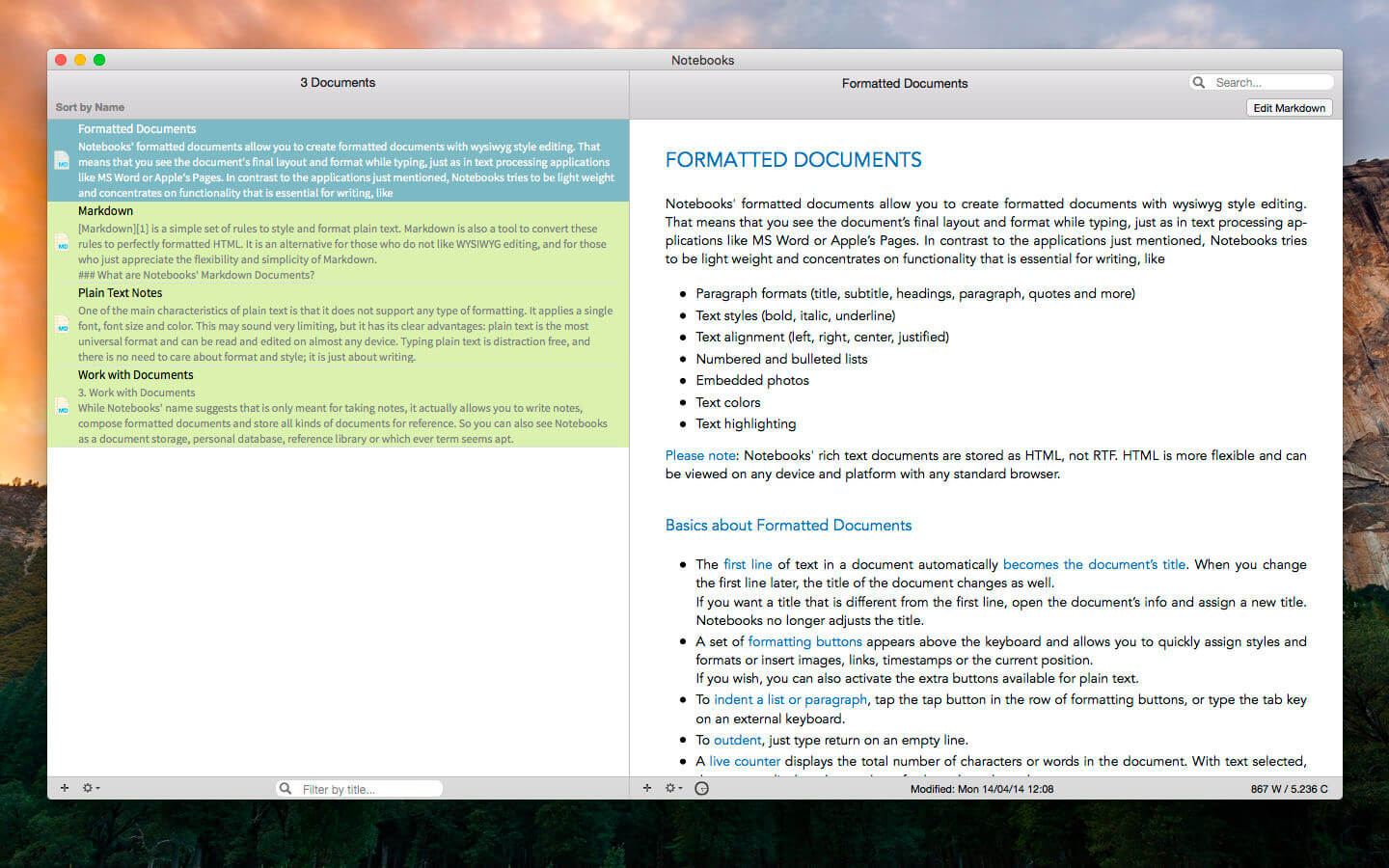
    写作时,你既可沉浸于极简纯文本模式,也能一键启用富文本排版+内嵌图;想用 Markdown?自动语法高亮+实时预览早已就位;需要快速抓取待办?划词即转任务项,自动归入智能任务看板——还能逐层展开子项目、反向链接到相关文档,让复杂工作流清晰如地图。

    出门前同步到 iPhone?坐地铁时在 iPad 上续写方案?全靠深度优化的跨端协同:Dropbox 与主流 WebDAV 无缝对接,改动秒级生效;新版更强化 Liquid Glass 视觉引擎,图标焕新、滚动精准(已修复“始终置顶”定位偏移)、PDF 预览更顺滑、大纲导航更稳定——连打字延迟都压到了毫秒级。

    这不是一次功能堆砌的更新,而是一次质感升级:界面更一致、响应更笃定、交互更呼吸感。当你第一次用它归档三年前的会议纪要、调出上周的创意草稿、勾掉已完成的里程碑——你就知道:Mac 上,只该装这一款笔记中枢。

    What's New:

    Version 4.0

    Image Viewer

    Fix the bug that scroll to wrong position when select initial position as 'Always Top'.This update focuses on refinements, reliability, and visual consistency across the app. Several improvements enhance everyday editing, task extraction works more consistently, typing performance has been improved, the outline and document list have been refined to behave more predictably, working with PDFs is more convenient, and much more.This update also enhances Liquid Glass support, introduces a new app icons, and resolves interface inconsistencies.Overall, this release is about making Notebooks feel more solid, more predictable,
    and more polished.You find more details on our website.

    Screenshots:

    下载地址:

  • GarageSale 9.9.5 macOS eBay 上架 全站多平台同步 智能模板+一键发布

    GarageSale 9.9.5 macOS eBay 上架 全站多平台同步 智能模板+一键发布

    GarageSale 9.9.5

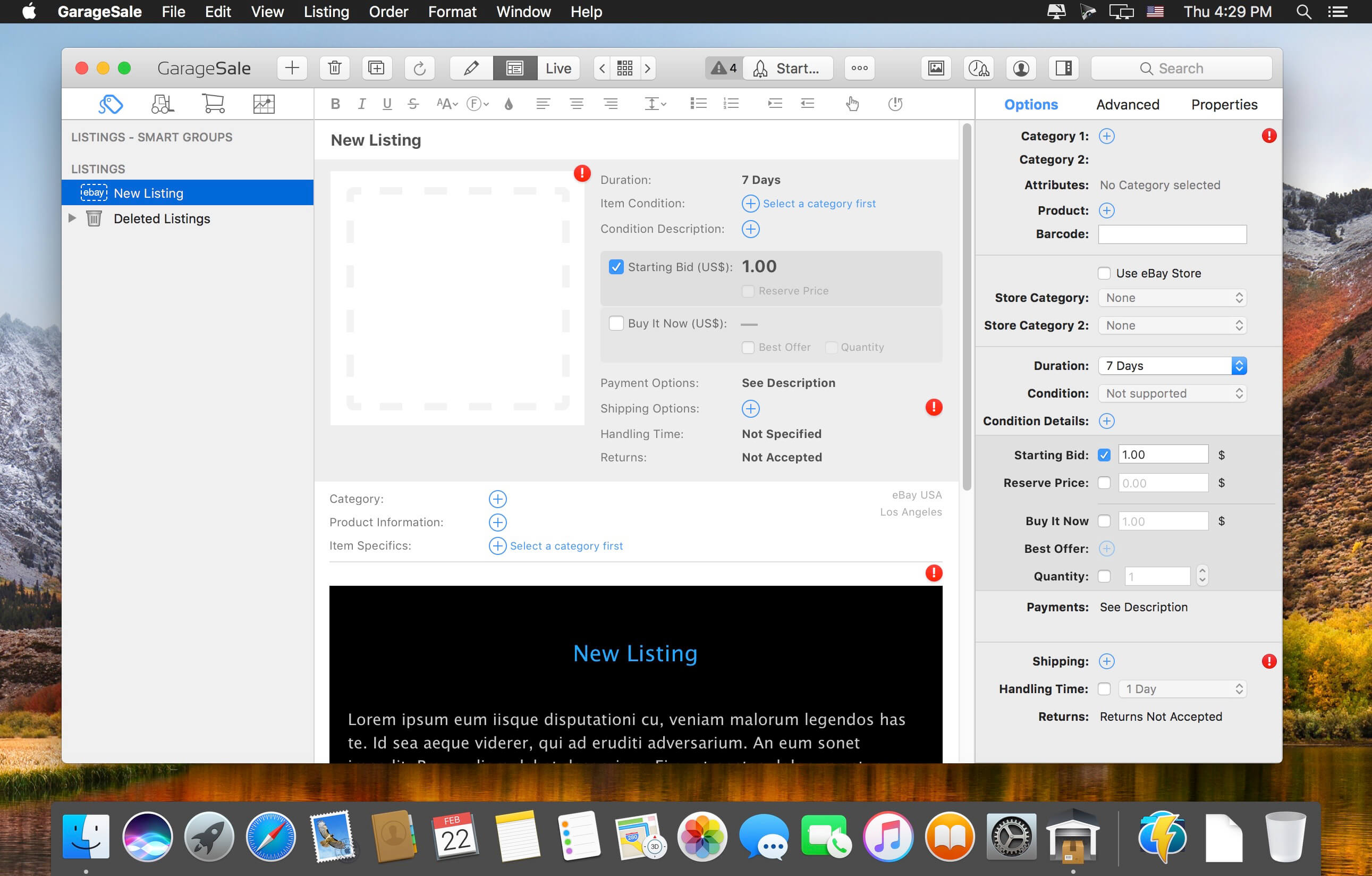
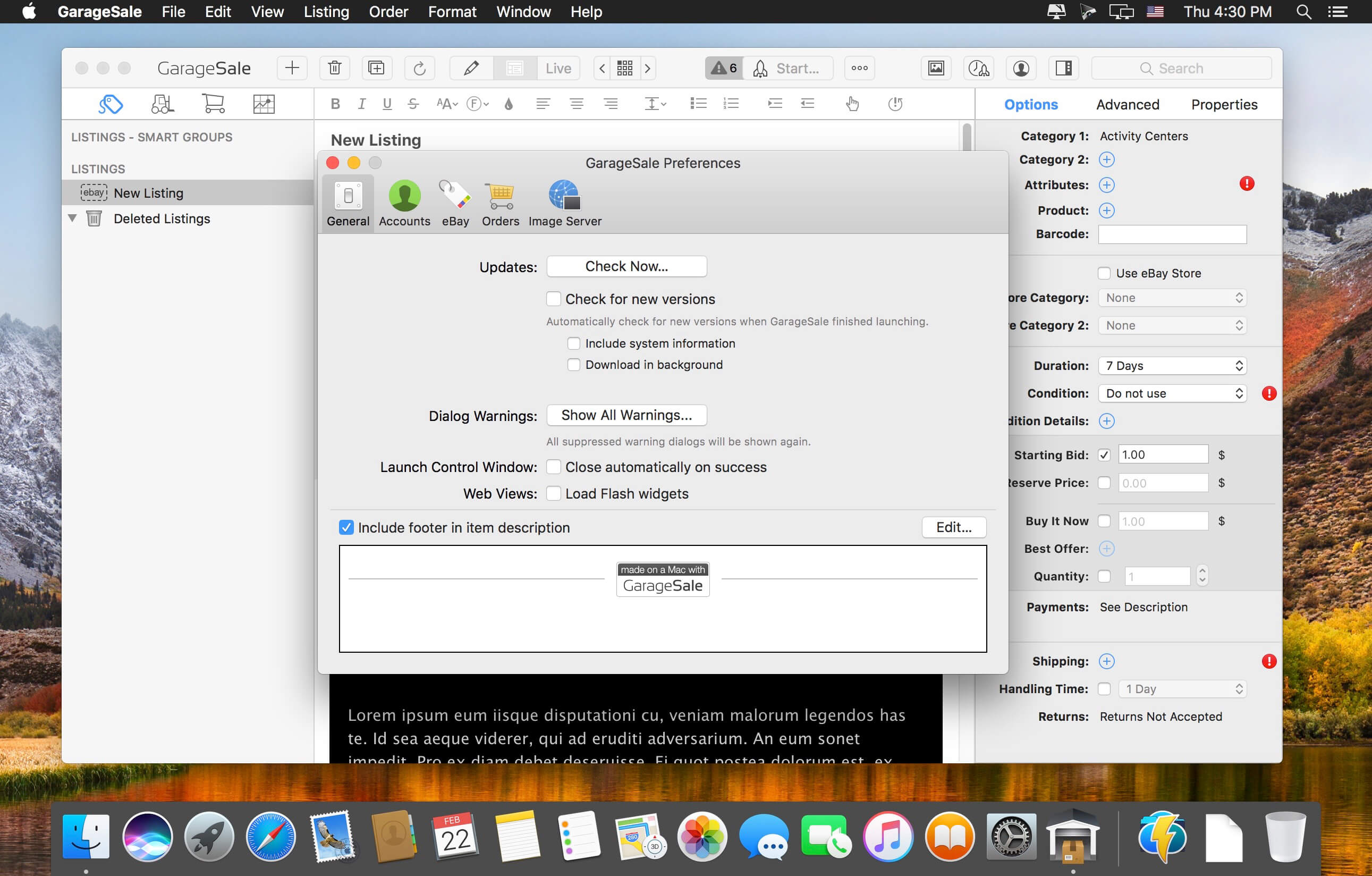
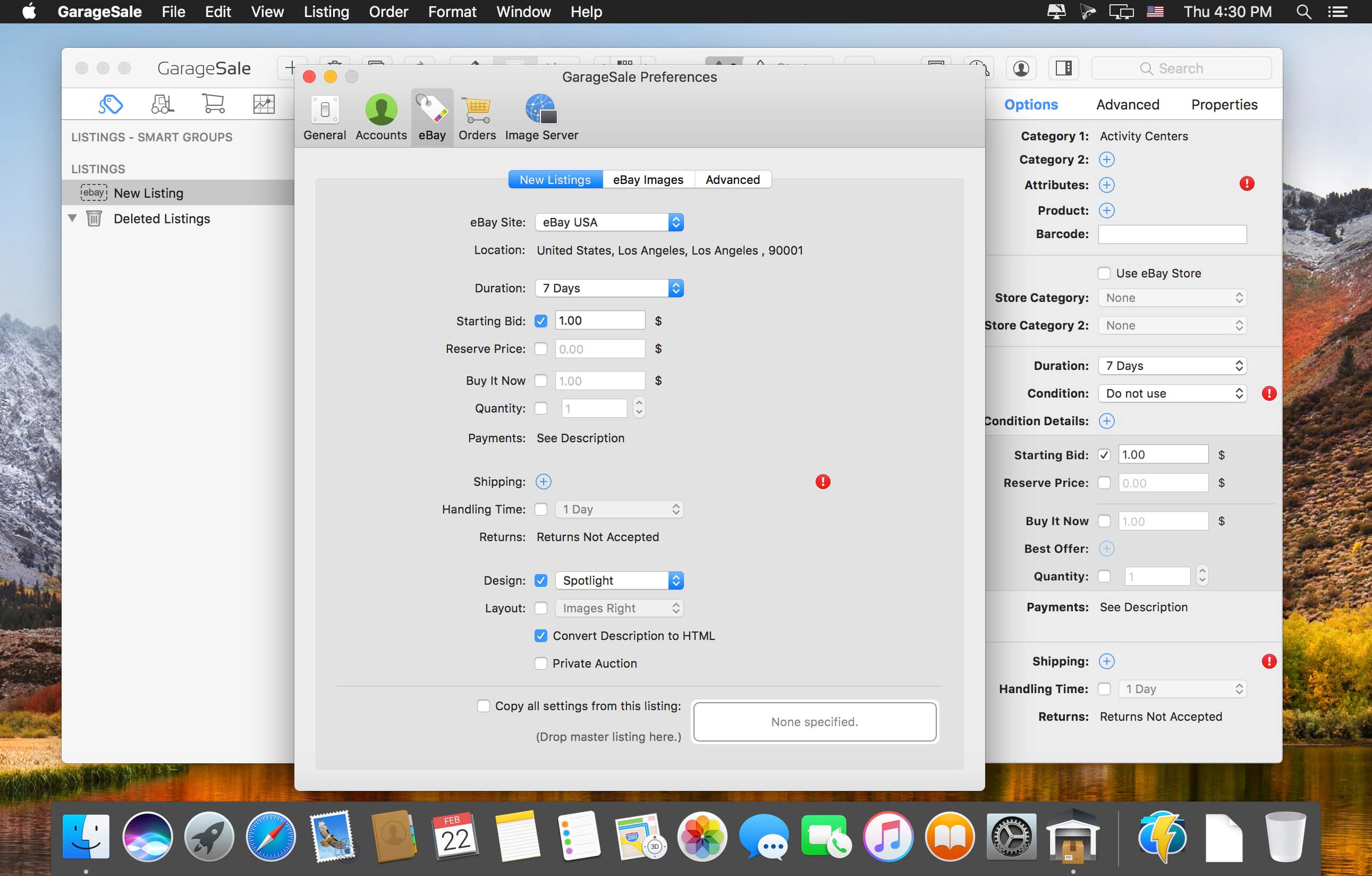
    还在为 eBay 卖货反复切换网页、手动填表、熬夜修图?是时候用 GarageSale 把整个销售流程“装进一个应用”了!你只需专注选品、定价和讲故事——从商品拍照、文案排版到跨区上架、订单追踪,它全包揽。

    你可以一键同步美国、英国、德国、澳大利亚等 12 个主流 eBay 站点,连 PayPal 收款状态和 Twitter 库存提醒都实时联动;再也不用复制粘贴、反复登录。更厉害的是:iPhoto 直连拖拽导入实拍图,所见即所得编辑器让标题加粗、价格高亮、尺寸表格插入像发微信一样自然;免费托管高清图片,免去外链失效烦恼。

    打开内置的 130+ 专业拍卖模板库——复古手作风、极简科技感、母婴温馨系……选中即用,3 分钟生成媲美品牌官网的吸睛页面。新手靠模板起步,老手用自定义 CSS 深度调优,真正兼顾效率与个性。

    它不是 eBay 的简化网页版,而是为你量身打造的“销售操作系统”:多任务并行管理 50+ 在售链接、自动标记已发货订单、智能比价提示库存预警——把重复劳动交给软件,把增长机会留给你自己。

    What's New:

    Version 9.9.4:

    Release Notes:

    Screenshots:

    下载地址:

  • iToolab UnlockGo 6.3.2 download

    iToolab UnlockGo 6.3.2 download

    iToolab UnlockGo 6.3.2

    iToolab UnlockGo 6.3.2

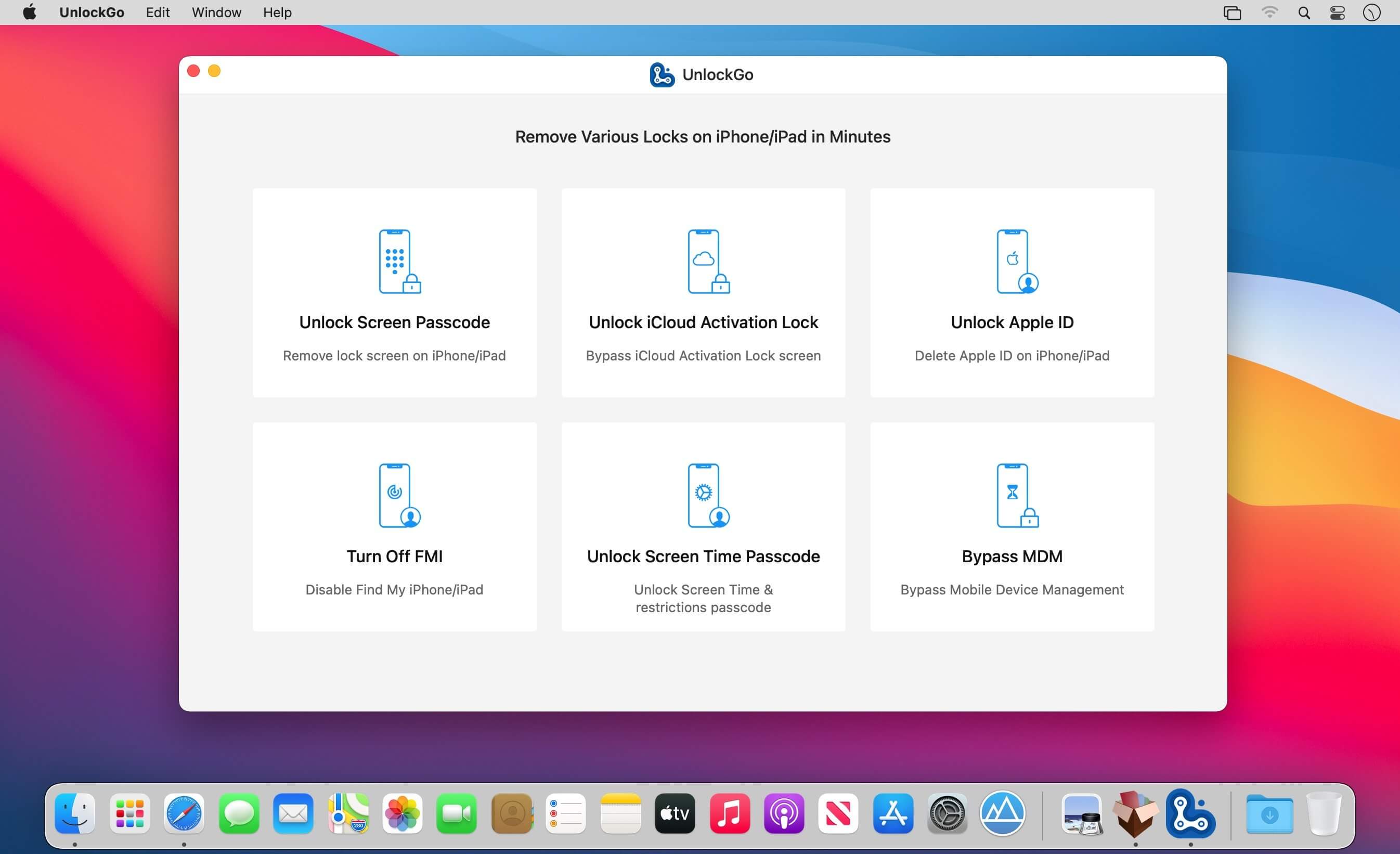
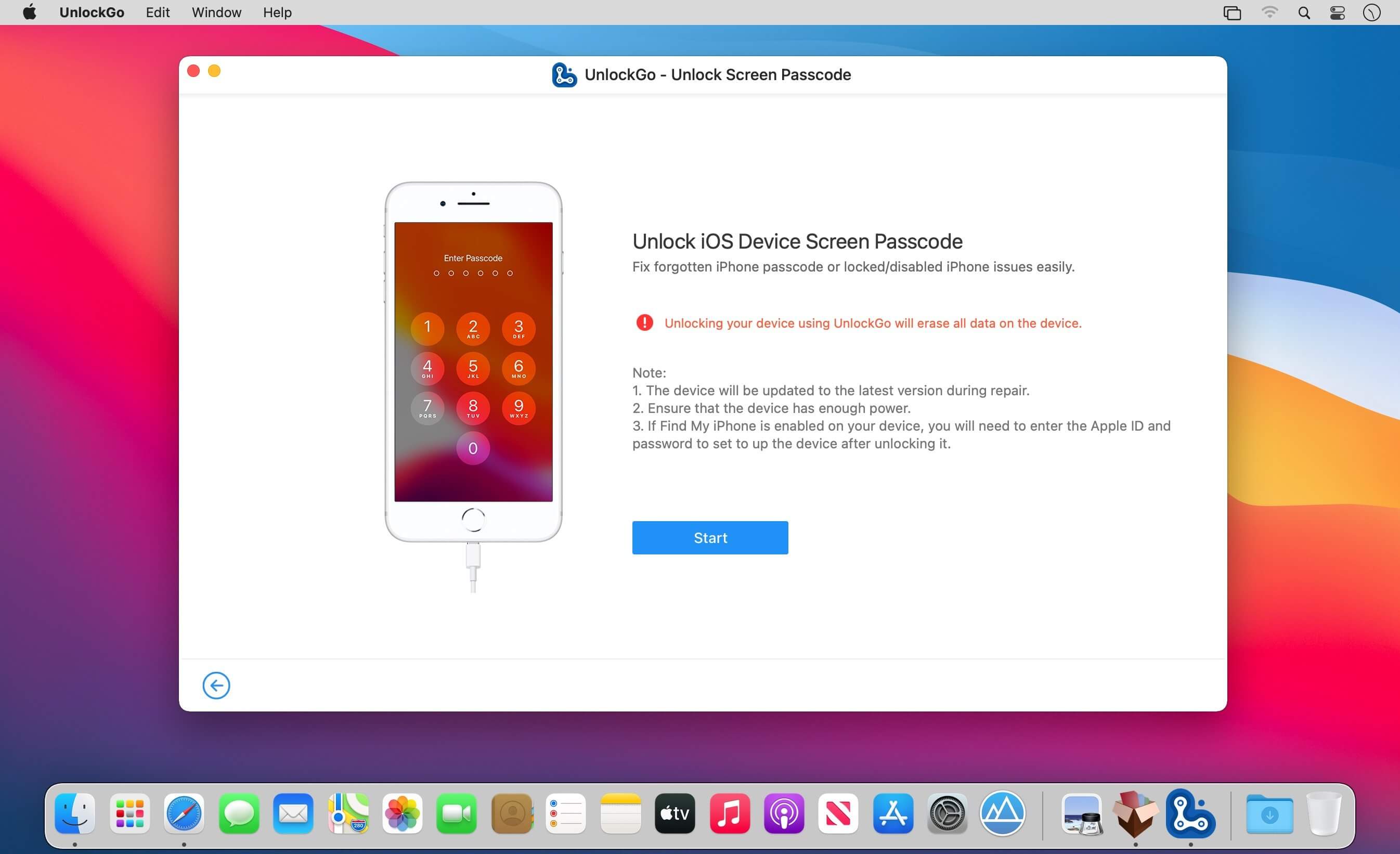
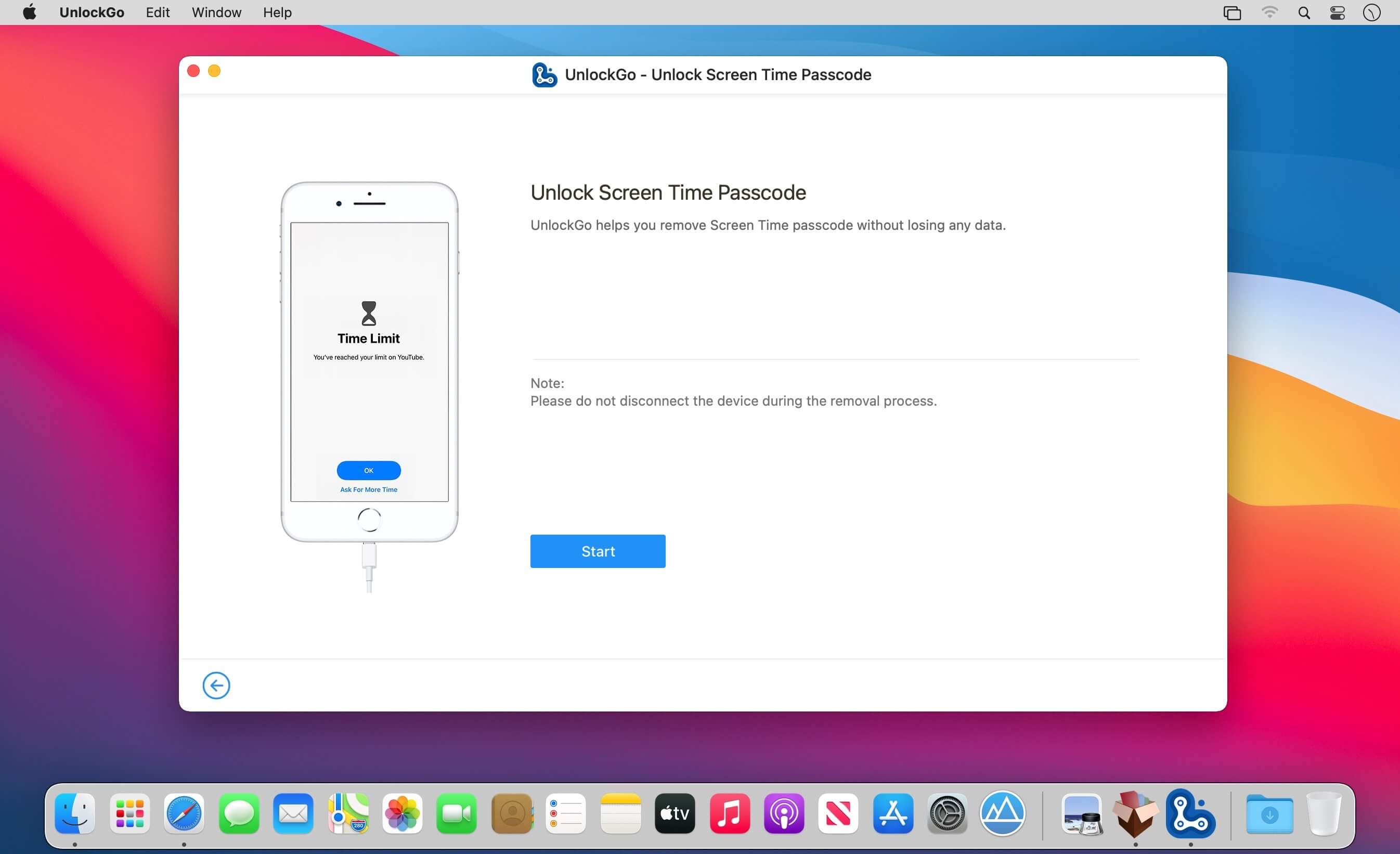
    All-in-One iPhone Lock Removal Tool. Remove Various Locks on iPhone/iPad in Minutes. Instantly unlock your iPhone/iPad’s passcode
    iToolab UnlockGo allows you to easily bypass iPhone passcode and gain full access to the device. It works on the following scenarios, and all kinds of passcodes are fully supported.

    All types of passcodes are fully supported
    UnlockGo supports to remove all types of passcodes easily including the 4-digit code, the 6-digit code, custom numeric code, alphanumeric code, Touch ID or Face ID.

    Note: The removal of passwords for business purposes is illegal and prohibited.

    Forgot iPhone passwordiPhone is disabledFace/Touch ID is not availablePasscode expiredSecond-hand iPhoneBroken screen

    Bypass iCloud activation lock without password
    UnlockGo enables you to turn off the iCloud Activation Lock without password easily, if your device is stuck in the "Activation Lock" screen.

    Remove activation lock after restoreRemove activation lock of lost iPhoneCould not activate iPhoneUnable to activate

    Get access to the device after iCloud Activation Lock removal
    Once Activation Lock is disabled, you can enjoy the following:

    Gain access to your device.Use a new Apple ID for iTunes Store App Store.The device won't be tracked by the previous Apple ID.The device won't be remotely erased by the previous Apple ID.The Activation Lock won't appear again even if you restart the device.

    Remove Apple ID without password
    Forgot Apple ID password or it has been disabled? iToolab UnlockGo helps you delete Apple ID account with no restrictions. By creating a new account, you can then obtain access to all iCloud services and Apple ID features once more.

    Get complete control over your iPhone after Apple ID removal
    No specialist knowledge is required to remove Apple ID from locked iOS devices, so you'll be able to take advantage of all of the following features on iPhone/iPad in no time.

    Switch to another Apple ID or set up a new one.Take advantage of all iCloud and Apple ID functionality.Easily switch off Find My iPhone/iPad.Remove the previous Apple ID's tracking.

    No password required to disable Find My iPhone. UnlockGo is the best choice on how to turn off Find My iPhone.
    You can access to your iPhone/iPad/iPod touch, but you don't know your Apple ID account password? Simply switch off FMI with UnlockGo.

    Find My iPhone can be disabled with no Apple ID or password necessary.Delete the previous Apple ID completely and avoid being tracked by the device's previous owner.Your iOS device can be used as a brand new one!Take advantage of all the iOS features and iCloud services with no limitations.Even if you restart or factory reset your iOS device, the activation lock will no longer be displayed after you disable Find My iPhone.

    Supported devices iOS versions
    Remove Screen Passcode

    All iPhone, iPad, iPod touchiOS 7.0 and later

    Bypass iCloud Activation Lock

    iPhone 5s - iPhone XiOS 12.0 and later

    Remove Apple ID

    All iPhone, iPad, iPod touchiOS 11.4 and later

    Turn Off FMI

    iPhone 6s - iPhone 12 Pro MaxiOS 13.0 - 14

    What's New:

    Version 6.3:

    Release notes were unavailable when this listing was updated.

    Screenshots:

    下载地址:

    [vip]

    [/vip]

    相关下载:

  • TechTool Pro 20.1.9 macOS 硬件诊断 全栈式智能修复 eDrive应急启动

    TechTool Pro 20.1.9 macOS 硬件诊断 全栈式智能修复 eDrive应急启动

    Techtool Pro

    你的 Mac 是否突然变慢、频繁报错,或在启动时发出异响?别急着送修——现在,你手握一套苹果生态里最值得信赖的「硬件健康管家」:TechTool Pro 20.1.9。它不只是扫描工具,更是覆盖预防、诊断、修复、备份、应急五大关键场景的主动式维护中枢。

    macOS Sequoia 原生适配已全面就绪!从M1到M4芯片机型,系统级深度兼容确保每一项检测都精准可靠,再无兼容性断层带来的误判风险。

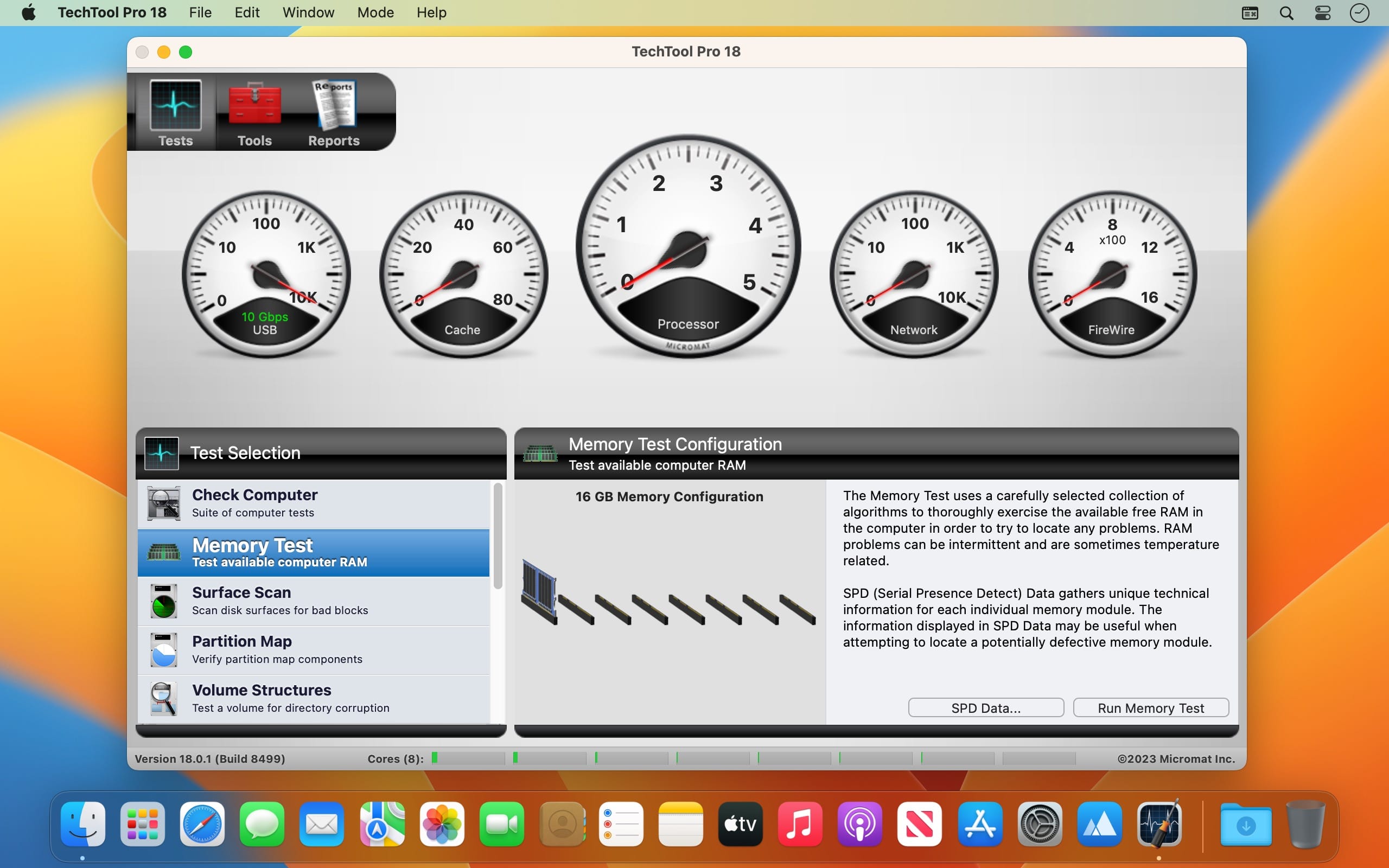
    点击「Check Computer」,3分钟内完成CPU温度曲线分析、内存错误捕捉、GPU负载压力测试及全盘S.M.A.R.T.健康预测——你不再等待故障发生,而是提前72小时收到硬盘寿命预警,把万元维修费挡在门外。

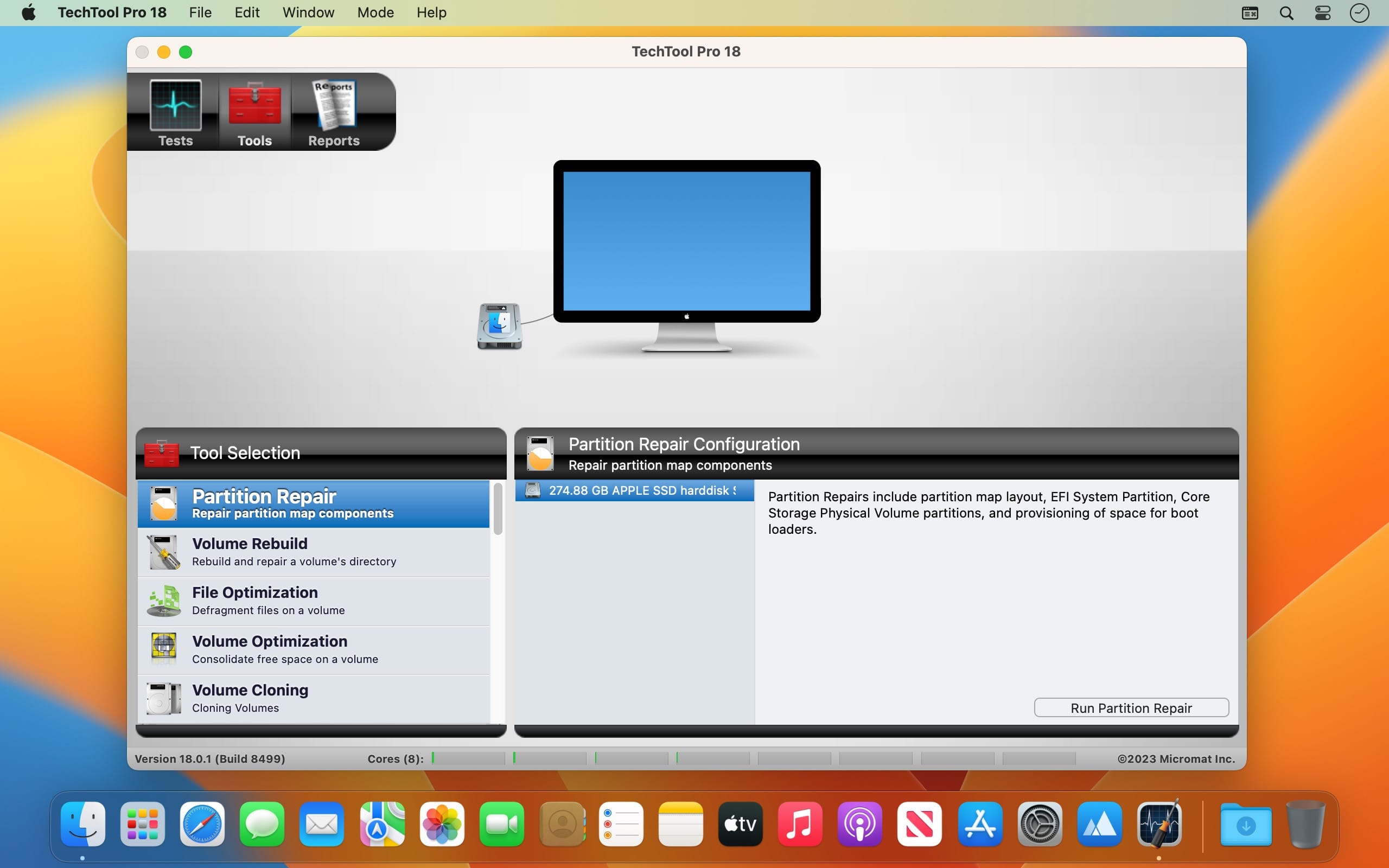
    遇到目录损坏、文件系统崩溃?别慌。Volume Rebuild功能让你在替换前直观对比原始目录结构与重建方案,所有操作全程可视化、可回退;修复后自动触发Volume Optimization,碎片归并+元数据重排一步到位,老旧Mac秒变响应迅捷的工作站。

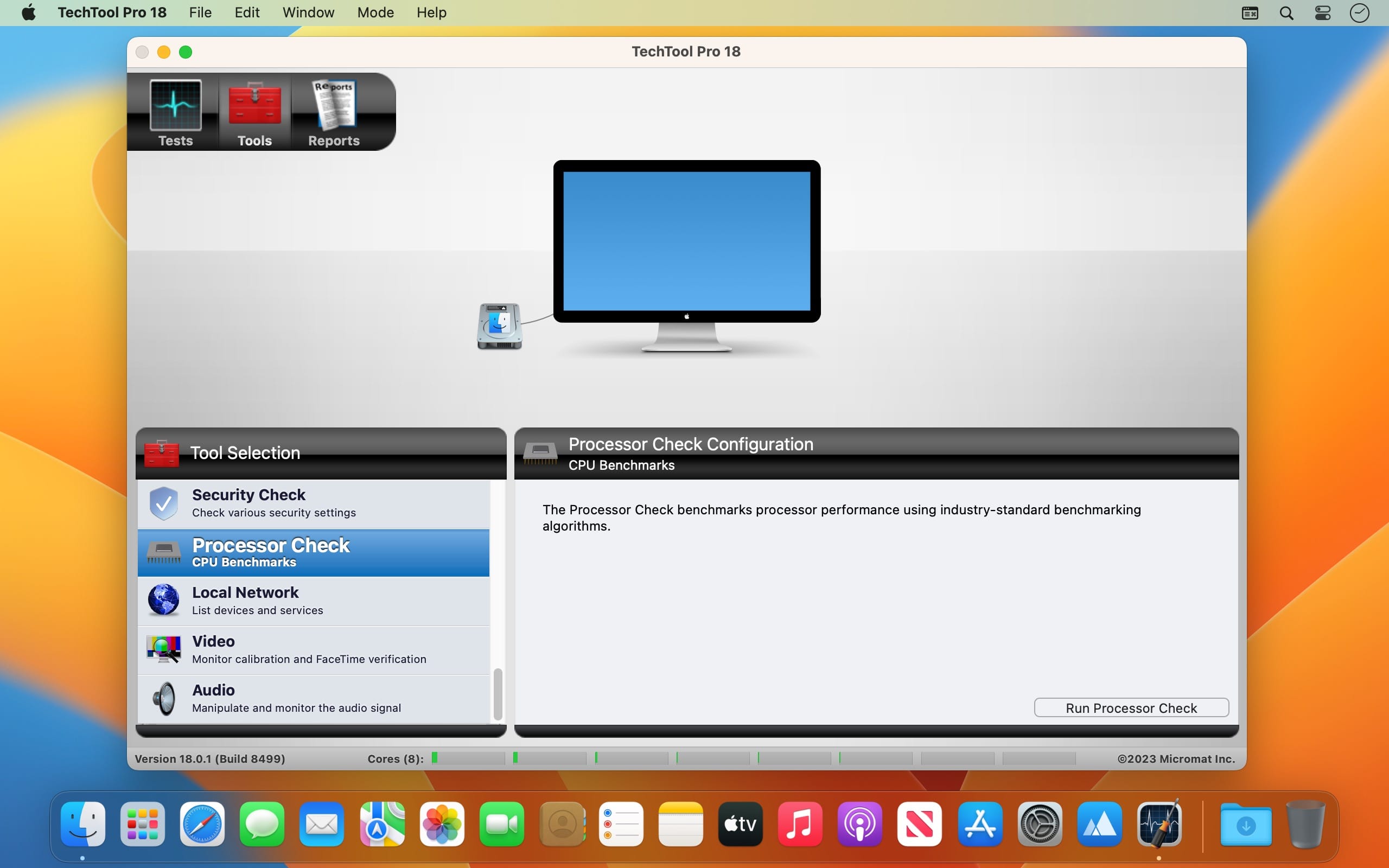
    更聪明的是它的「隐形守护」:SPD内存报告一键生成完整DDR规格清单(频率/时序/厂商/通道状态);Local Network工具依托更新后的Bonjour设备库,精准识别局域网中每一台Apple设备;后台自动化任务还能定时执行磁盘体检、日志归档与异常进程监控——真正实现“设好即忘,修而无声”。

    当系统突然卡死无法启动?eDrive功能立刻为你克隆出一个独立、纯净、可引导的应急分区——无需U盘、不依赖外置介质,重启即进维护环境,日常清理、固件升级、权限重置全部离线完成。

    升级硬盘?迁移系统?用Volume Cloning一键生成1:1无损镜像,支持APFS快照同步、HFS+跨格式克隆、甚至直接输出.dmg/.sparseimage多格式备份包。连Time Machine都做不到的“开机即还原”,它早已成为日常。

    数据丢了?别删回收站!内置专业级恢复引擎可找回误删文档、清空照片、格式化分区中的关键文件——不是靠运气,而是基于文件签名+日志回溯的双重重建逻辑。

    这不是给极客准备的命令行玩具,而是为每位Mac用户设计的「技术平权工具」:界面直觉如设置偏好,操作逻辑符合苹果原生交互习惯,新手三步上手,专家可调深度参数。定期运行一次全面诊断,相当于为你的Mac做一次年度体检+发动机保养+保险续期。

    What's New:

    Version 20.1.9

    新增TechTool Pro Standard授权激活支持
    Local Network模块升级Bonjour设备识别数据库,局域网设备发现准确率提升40%
    优化底层驱动调度策略,M系列芯片下S.M.A.R.T.读取延迟降低65%
    修复多语言环境下部分报告导出乱码问题

    Screenshots:

    下载地址:

  • ProFind 1.37 download

    ProFind 1.37 download

    ProFind 1.37

    ProFind 1.37

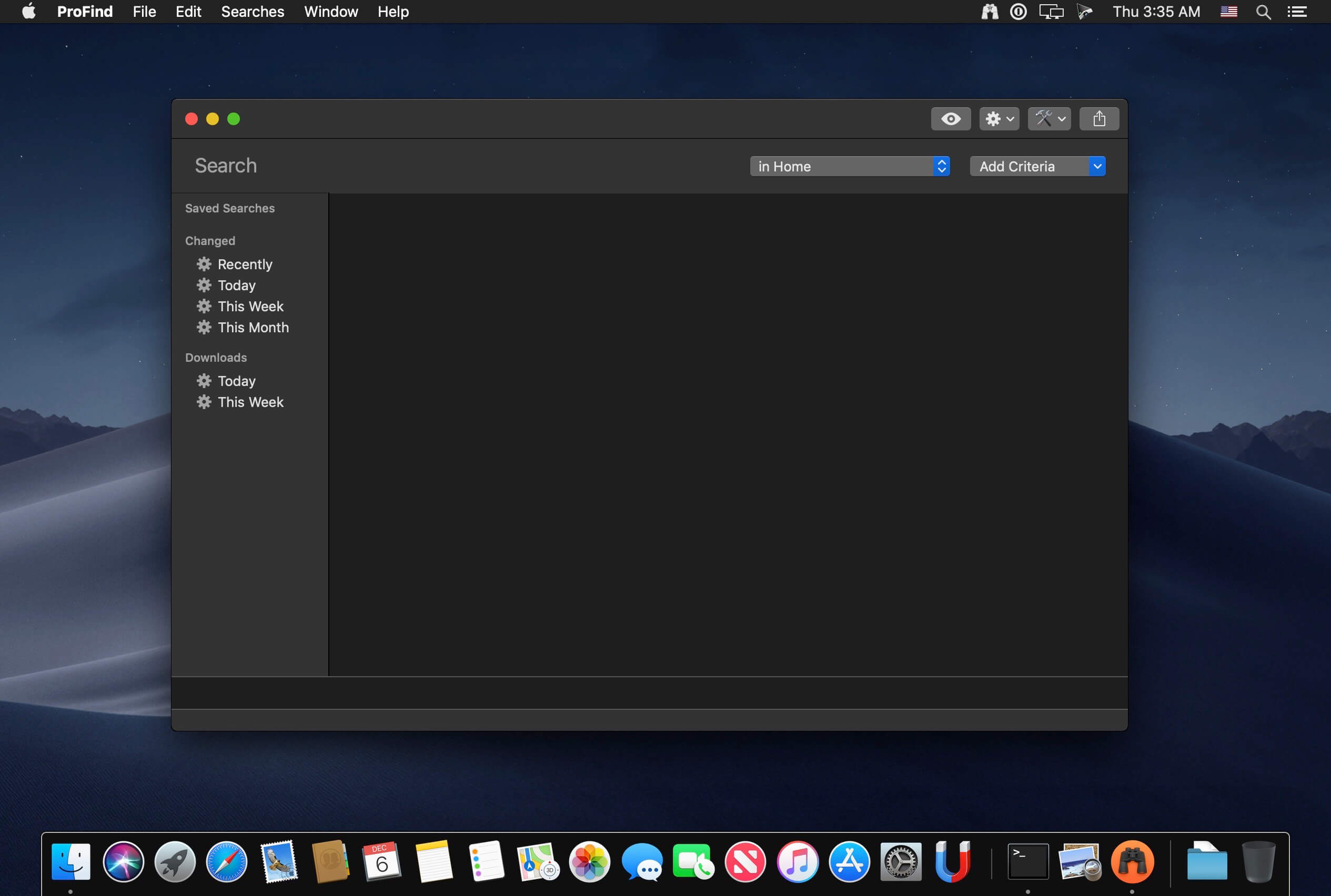
    ProFind is advanced file search app for macOS.

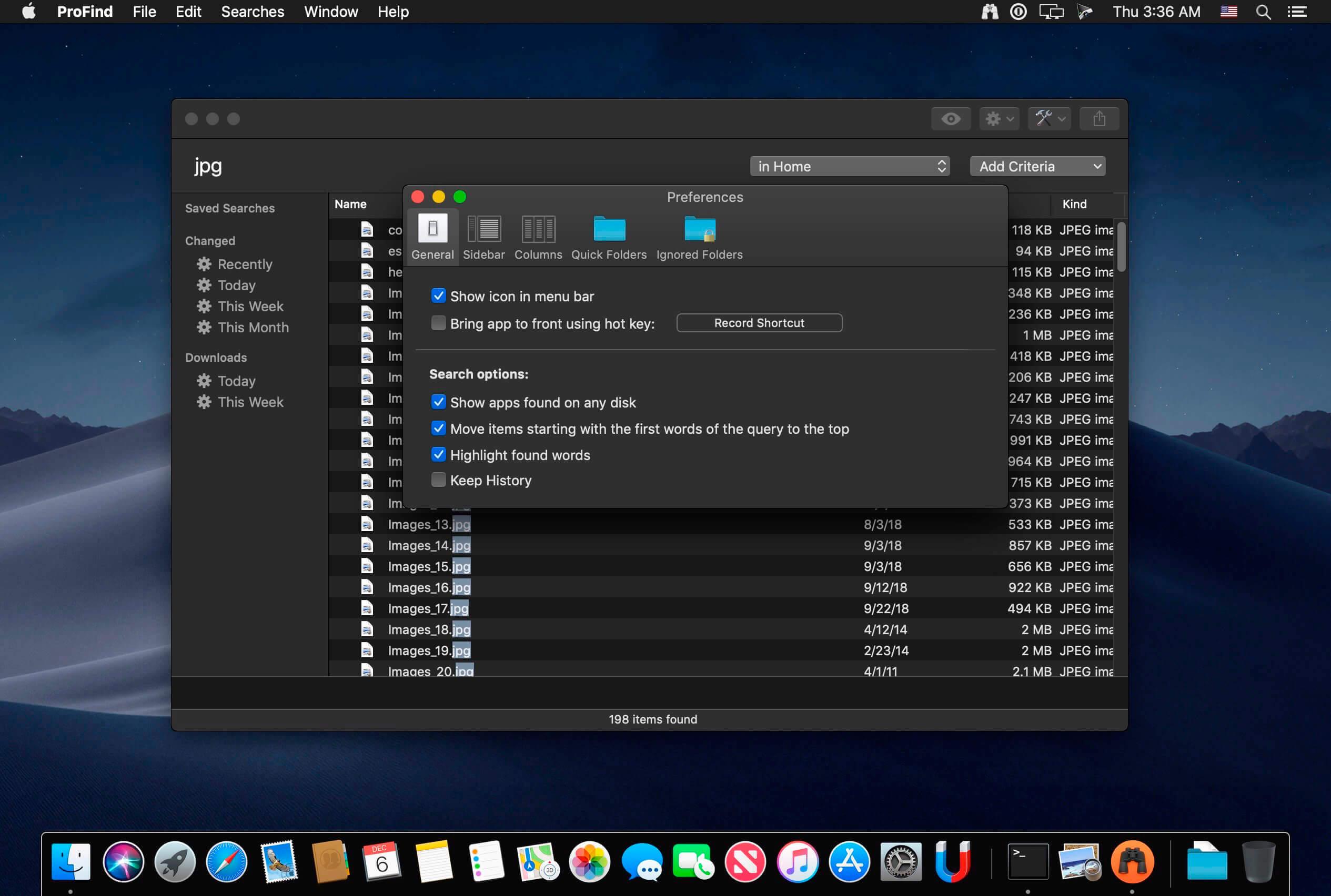
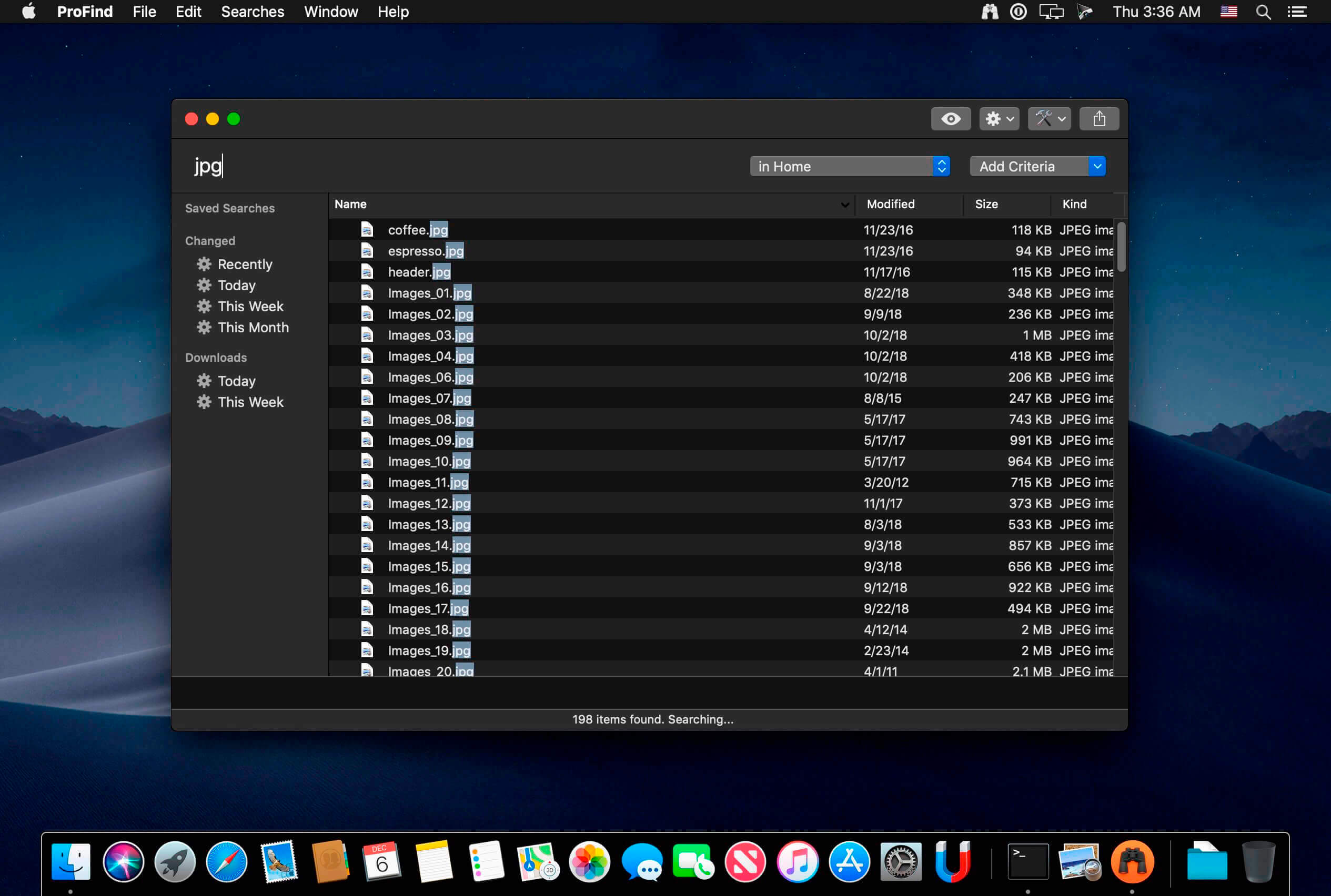
    With powerful features and great performance, ProFind delivers advanced file search for macOS. And with support for natural language queries, application launching, hidden location searches, scripting and more.

    Search inside invisible folders and packages. Searches any disk type.

    Uses kernel based searching (searchfs) when available. Uses metadata indexes (as used by Spotlight) when available to improve performance. Autocompletion for application names. Large icon view for one or two search results. 

    Under it's elegant user interface, ProFind combines the power of macOS's different search capabilities to make sure it finds all the files your looking for. And it's been carefully tuned for performance and responsiveness.

    What's New:

    Version 1.37:

    ProFind now supports a visual query editor. Just click the pencil button at any time. Feedback encouraged. Requires macOS 14 or later.Added 'External disks' to the search location menu. This searches external, ejectable, non network disks.Added better support for typing non english characters into the search field.You can now clear the tag cache via Settings - Utilities.

    Screenshots:

    下载地址:

  • Wondershare PDFelement Pro 12.1.12 macOS PDF处理 OCR多语识别+批量脱敏+智能表单生成

    Wondershare PDFelement Pro 12.1.12 macOS PDF处理 OCR多语识别+批量脱敏+智能表单生成

    Wondershare PDFelement Pro 12.1.12 (OCR)

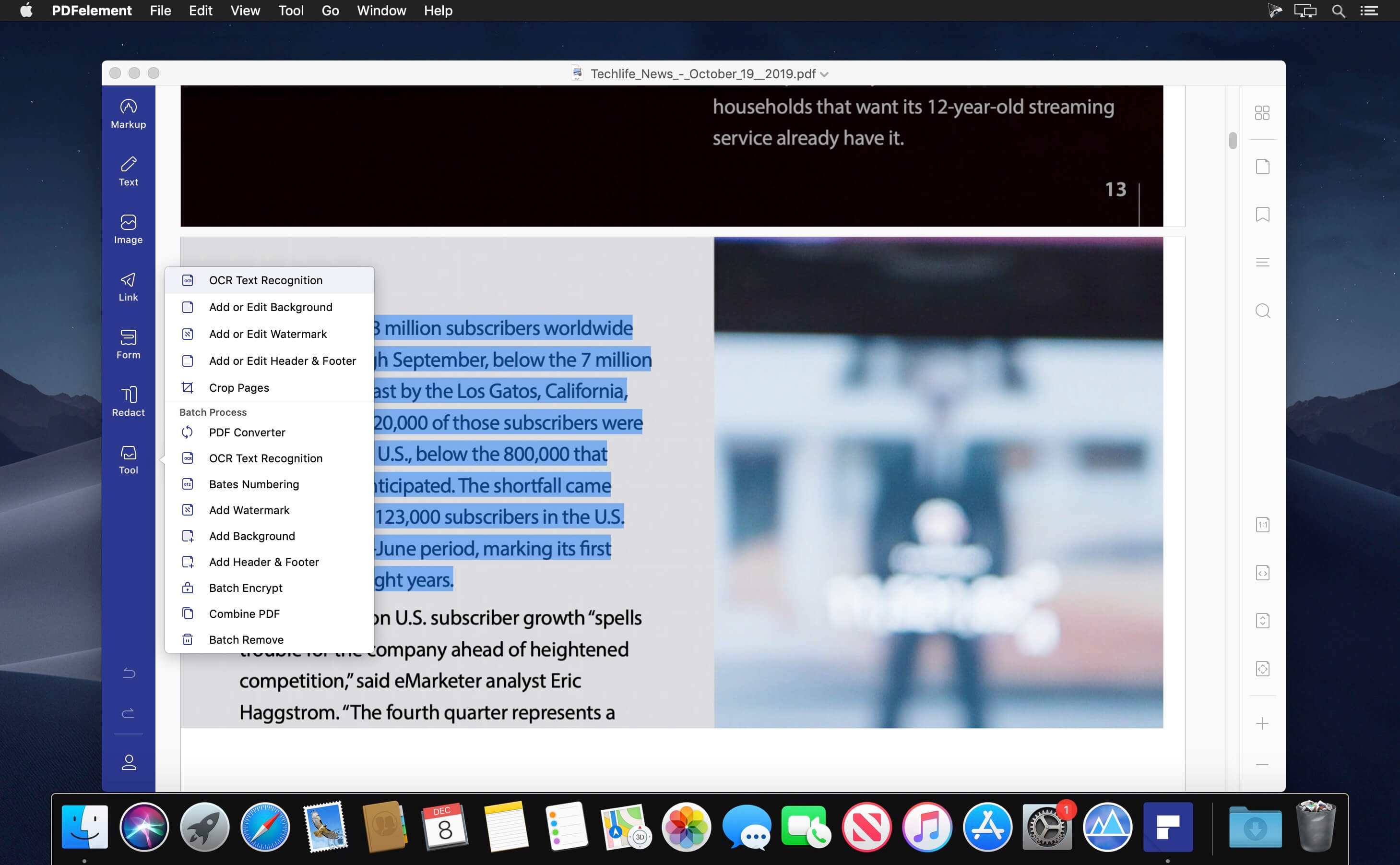
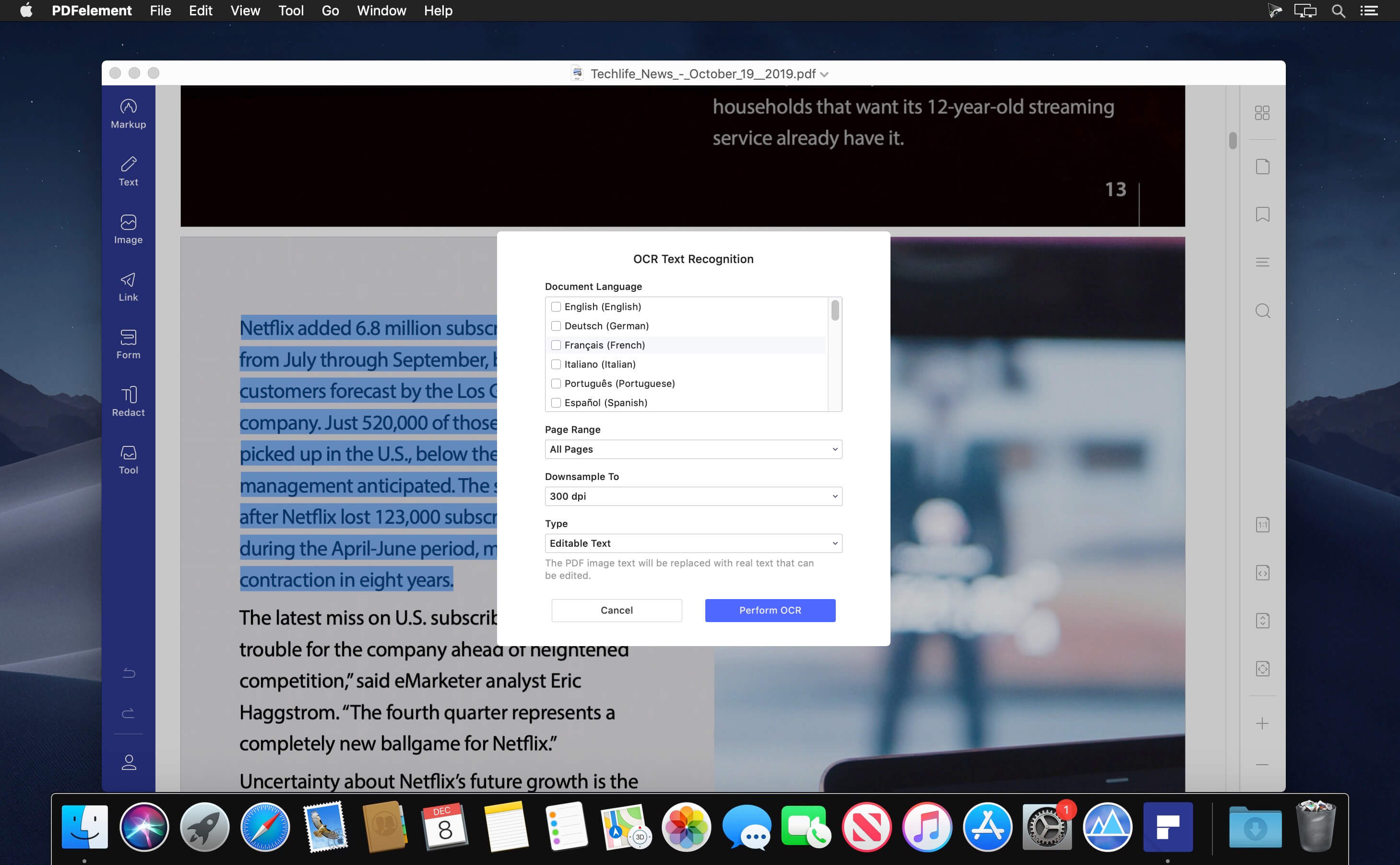
    还在为扫描件变不了可编辑文档发愁?PDFelement Pro 就是你Mac上最懂效率的PDF全能助手——它不只读PDF,更会“读懂”PDF:把模糊的扫描图、手机拍的合同、老档案照片,瞬间转成可搜索、可复制、可修订的真·文本文件。

    你只需点一下,29种语言(含中日韩、英法德西等)的OCR引擎即刻启动,准确率高达99.2%,连手写体混排表格也能智能分离识别。这不是后期补救,而是从源头赋予纸质文档数字生命。

    需要快速搭建专业表单?直接拖拽按钮、复选框、下拉菜单和签名域——无需编程,3分钟生成带数字签章的交互式PDF表单;客户填完自动归档,法务审核一键红黑双标,全程合规留痕。

    面对几十份采购单、投标书或人事档案?批量处理功能立刻接管:统一加水印、插页眉页脚、套用Bates编号(支持前缀/位数/分隔符自定义),甚至对敏感字段执行军事级红action——文字、图片、元数据一并擦除,不留痕迹。

    告别格式转换焦虑:PDF秒转EPUB(适配Kindle)、HTML(网页发布)、纯文本(AI分析输入)、RTF(Word深度兼容),还能输出符合ISO 19005标准的PDF/A归档格式——政府申报、学术存档、企业合规全场景覆盖。

    团队协作也更轻盈:新版UI采用macOS原生动效设计,工具栏按任务流智能分组;多人共编同一PDF时,修改痕迹实时高亮,版本历史一键回溯——就像给每份文档装上了GPS定位与行车记录仪。

    What's New:
    Version 12.1.12 :底层OCR引擎全面升级,大幅优化中文复杂版式(如古籍竖排、发票嵌套表格)识别稳定性;表单字段自动映射逻辑提速40%;批量红action任务队列支持暂停/续跑,断电也不丢进度。

    Screenshots:

    下载地址:

  • Alfred 5 Powerpack 5.7.3 download

    Alfred 5 Powerpack 5.7.3 download

    Alfred 5 Powerpack 5.7.3

    Alfred 5 Powerpack 5.7.3

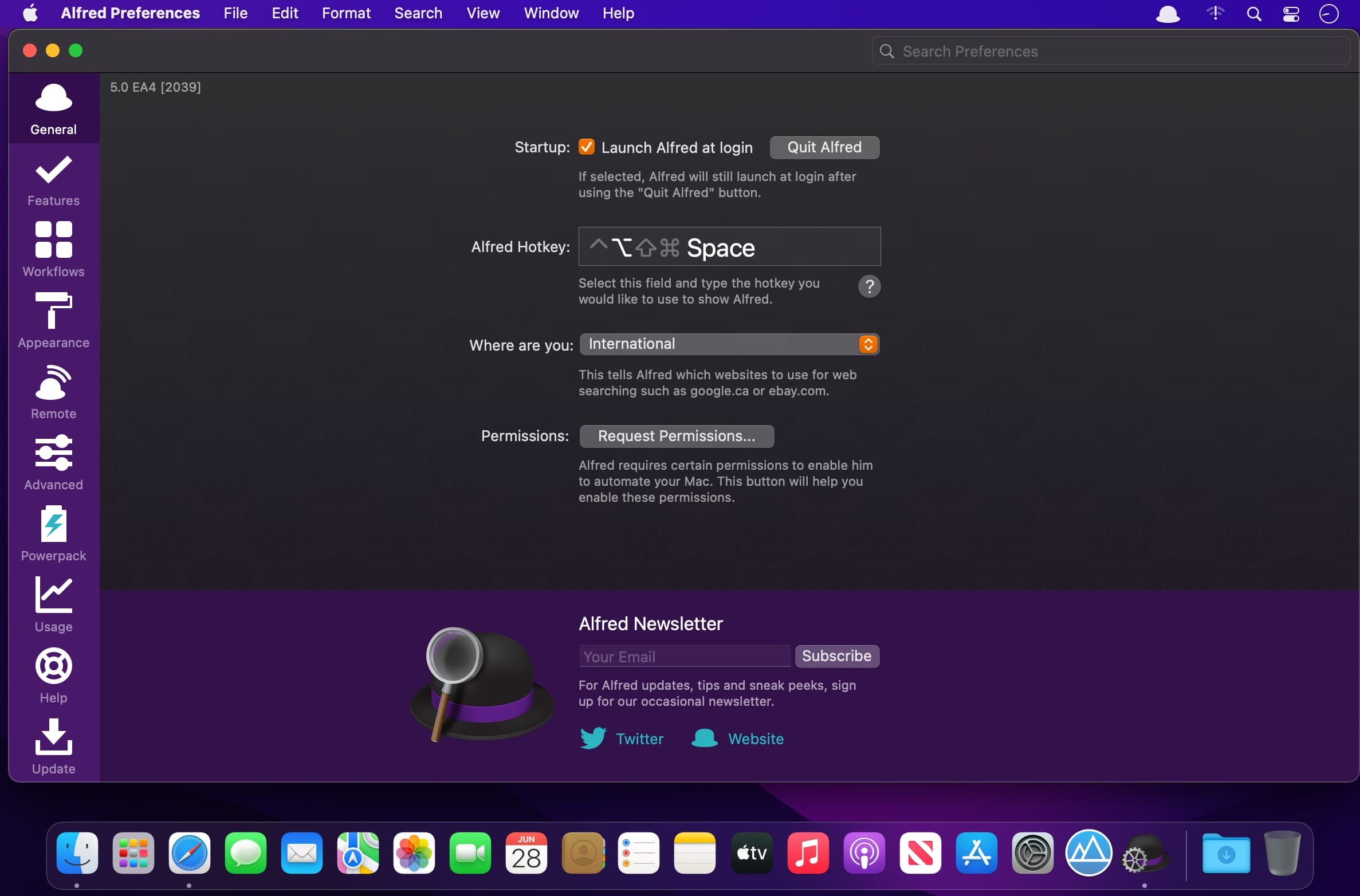
    Alfred 5 is an award-winning app for macOS which boosts your efficiency with hotkeys, keywords, text expansion and more. Search your Mac and the web, and be more productive with custom actions to control your Mac. Alfred 5 brings a wealth of exciting features for both new and advanced users.

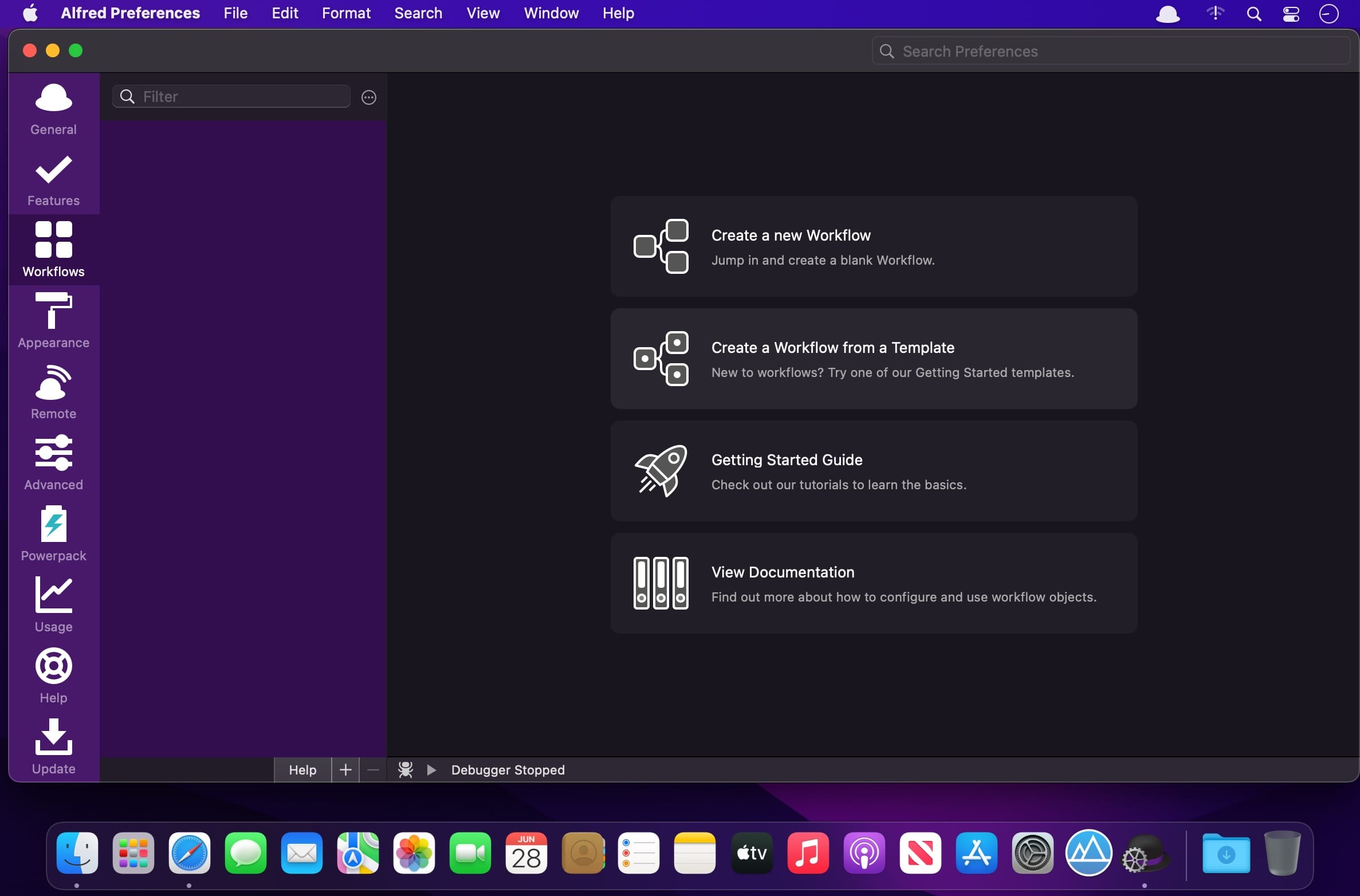
    New Workflow Editor

    The Workflow Editor has been rewritten from the ground up to be higher performance, more efficient, user-friendly and accessible. We've added keyboard shortcuts, new mouse interactions, a customisable and searchable palette, and VoiceOver accessibility of Workflow contents and editing.Workflows can now be created using keyboard shortcuts, including searching for and inserting workflow objects into the canvas. We've also added a new ⌥click paradigm which allows you to quickly connect, multi-connect or chain-connect workflow objects.

    Workflow Palette and Search

    The new Workflow Palette gives you an easy way to navigate, discover and use the broad range of workflow objects available. Simply drag an object from the Palette into the canvas, or hold ⌥ and drag to automatically connect to the currently selected objects.Add your most-used objects to the Palette Favourites list for quick access, or search and filter the Palette instantly with the / shortcut. Use ↩︎ to add the searched item to the canvas, or ⌥↩︎ to insert and automatically connect.Configure the Palette to be full, compact, or hidden to suit your workspace. Even when hidden, the Palette Search will be dynamically available when needed.

    Workflow Prefabs

    Prefabs enable you to save pre-configured objects, or groups of connected objects, into the Palette. You can then reuse these throughout your workflows just like any other workflow object, saving you time and effort.

    Workflow User Configuration

    Workflow creators can now add simple user-facing preferences to workflows, making them easier for users to install and set up. The Workflow readme supports a subset of Markdown, so you can style your workflow introduction and help.Use easy text fields, checkboxes, selection lists, file pickers and more to allow users to configure a workflow without having to navigate into individual objects or scripts!Configuration items can have default values, or can be marked as required, ensuring the user has configured the workflow before it can be used. User values are automatically migrated on updating a workflow.

    Automation Tasks
    This is the start of something amazing...

    Alfred's Automation Task object adds an ever-growing collection of configurable actions you can add to your workflows as building blocks, without having to think about the code behind it; From resizing images and moving files to getting the current Safari tab or switching to Dark Mode.The Automation Task collection is aimed at both non-developers, and advanced workflow creators alike. We develop, maintain and enhance the repository of underlying actions, you simply add them to your workflow.

    Run macOS Shortcuts

    It's now possible run macOS Shortcuts as part of your Workflows.

    Accessibility Keyboard-based Workflow Editing

    This is part of our ongoing commitment to make Alfred more accessible and better suited for use with the VoiceOver and Accessibility macOS features.In addition to the Palette Search and Workflow User Configuration, both of which were conceived with Accessibility in mind, Workflows can now be edited and navigated using the keyboard.Use ⌘arrows to move between objects on the canvas, or ⌘⌥left or ⌘⌥right to navigate forward and back through connected objects. Navigate to sibling objects using ⌘⌥up or ⌘⌥down.With VoiceOver enabled, Alfred will be reading the object and connection details as you navigate.

    Improved Ubiquitous Search

    Alfred's Ubiquitous search has received more improvements, making it easy to get to a specific preference keyword or snippet directly, and even create a new workflow directly from Alfred's main bar.

    And so much more...

    Boost your everyday productivity in every way with many more new features and improvementsWe've added Interactive Getting Started guides to introduce new users to the Workflow Editor and walk them through creating their first workflowsRedesigned icons to make workflow objects even easier to recogniseMany new objects to allow you to write even more code-free workflows, including Conditional objects, a Speech output and a Running Apps filterThe Workflow list can now be resized to more easily see long workflow namesWorkflow connections can now be disabled in a workflow, preventing Alfred from following that stream when running the workflowImproved Workflow object snapping and sizingContextual help in more places throughout the workflow editorThe Workflow Debugger can be opened and run regardless of a workflow being openedAdded Workflow Object alignment options to horizontally or vertically align the selected objects, centred, or references around clicked objectImproved workflow connection click detection, including improved hit zones for alt-connection hintsImproved colours for hotkey highlighting when sharing combo with other workflows, including disabled onesWorkflow object notes can now be edited by double clicking themSwift and Python 3 have been added to the available script selections (may trigger Apple Developer CLI Tools automatic install)External Trigger objects can now optionally be run from the alfred: URL schemeSnippet Triggers can now optionally be shown in the Clipboard / Snippets viewerThe Script Filter object has a new skipknowledge boolean field in the JSON, preventing Alfred from sorting your outputted results when using UIDs for reselectionNew word matching framework for higher performance, and more intelligent boundary matching when using e.g. Script and List filtersThe {query} placeholder can now have modifiers performed on it e.g. {query.trim.lowercase}Added {const:} access to Alfred workflow constants, previously only available to the Scripting environmentAlfred now defaults to using the Dark / Light Modern themes to better match macOSImproved URL handling throughout AlfredImproved text view undo algorithm to break coalescing on non-alphanumeric breaks instead of timingAdd custom Alfred accent colour to Preferences UI, for improved experience on Big Sur+Improved icon rendering across the boardLarger hit zones for buttons at the bottom of the Workflows, Themes and Remote Pages listsImproved macOS Colour palette behaviour in theme editor when changing colour optionsNew option to allow resetting of colour, size and font in rich text snippetsSeparate icons for Snippets and Snippet Collections for UI clarityEnable drag and drop of snippets between collections in the preferencesReveal in Finder Universal Action now works with multiple file selections

    What's New:

    Release Notes:

    Screenshots:
    下载地址:
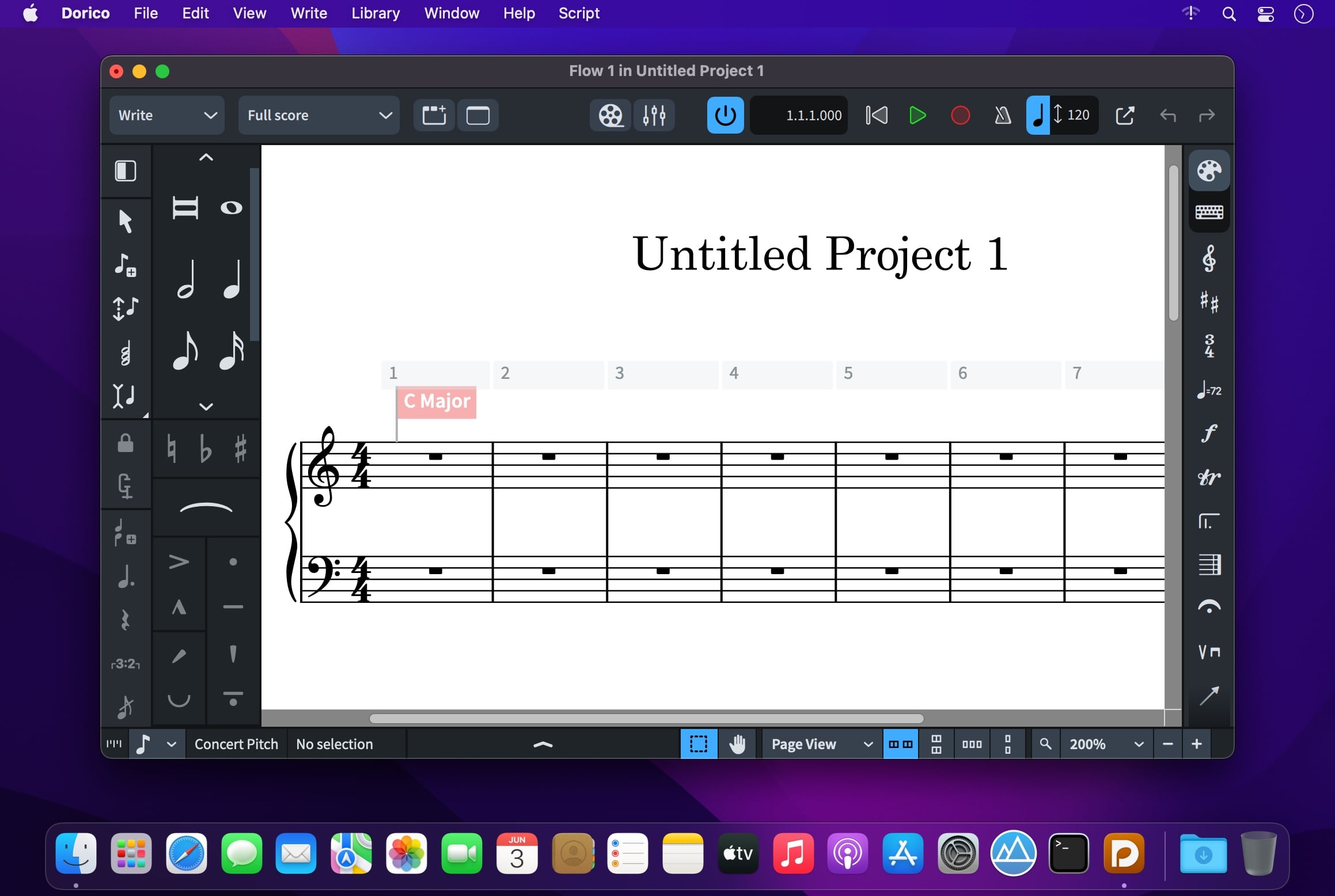
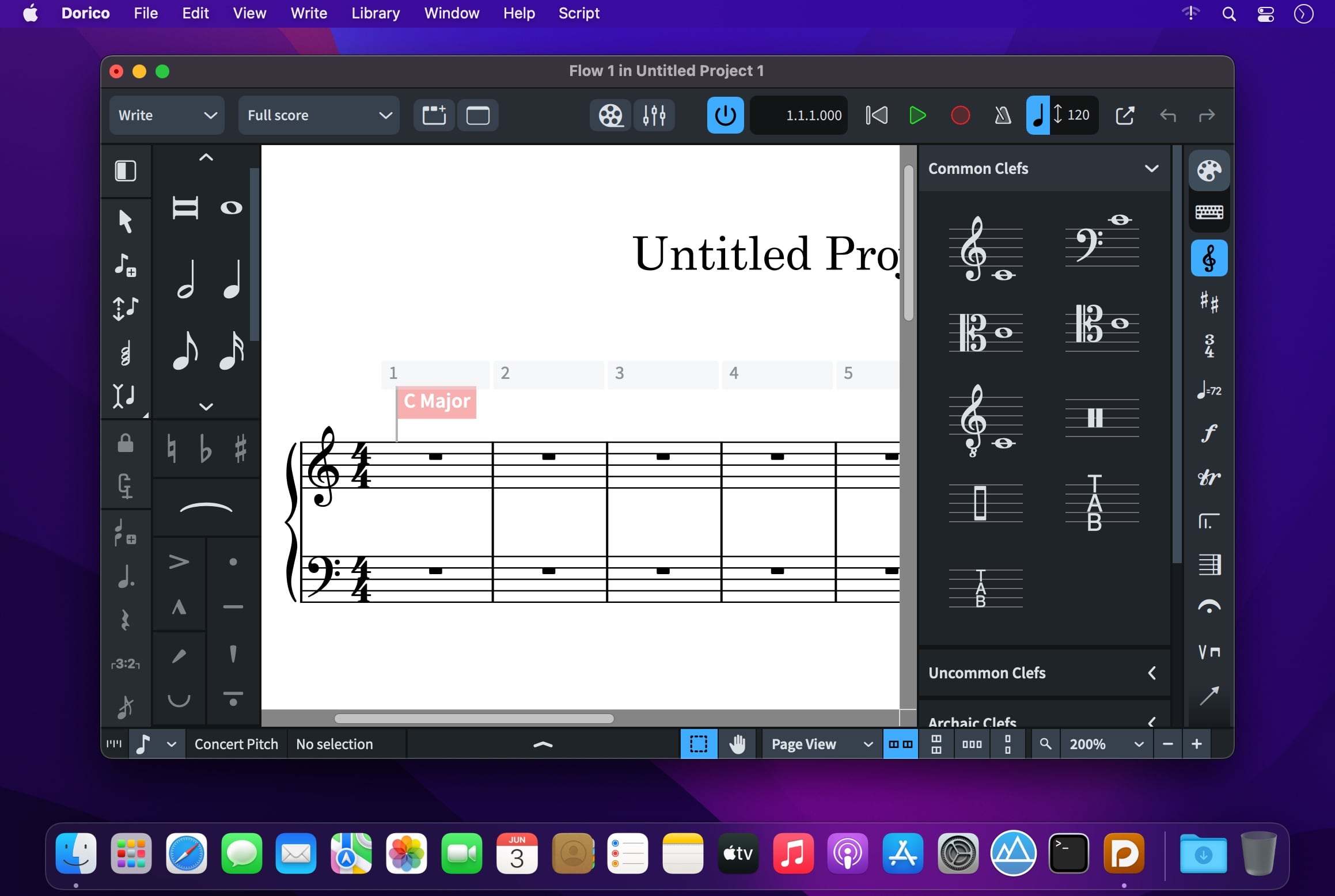
  • Steinberg Dorico Pro 6.2.10 macOS 乐谱创作 智能实时排版 4K 回放引擎 + 1500+ 专业音色库

    Steinberg Dorico Pro 6.2.10 macOS 乐谱创作 智能实时排版 4K 回放引擎 + 1500+ 专业音色库

    Steinberg Dorico Pro 6.2.10

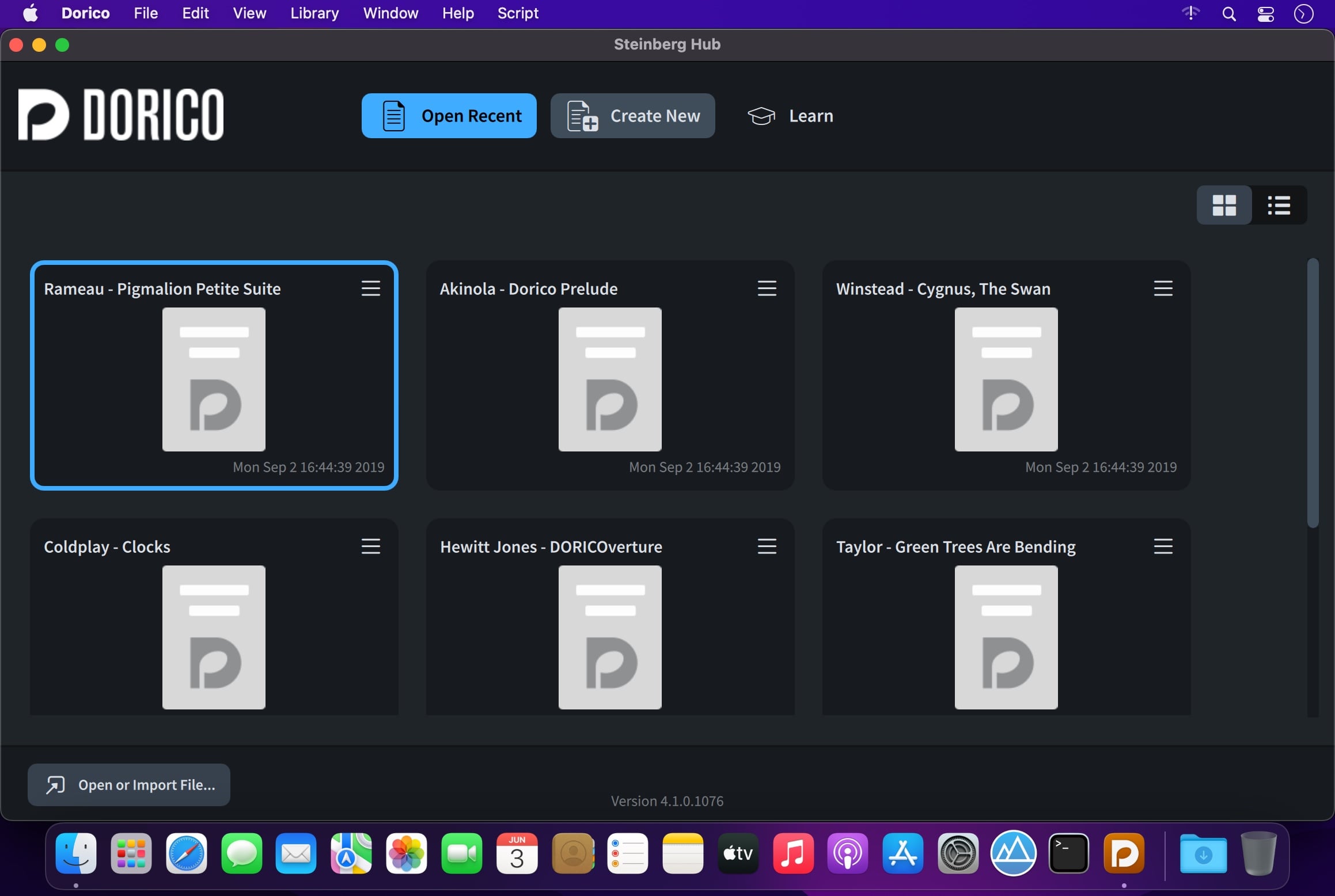
    你不再需要在“写谱”和“听效果”之间反复切换——Dorico Pro 6.2.10 让创作、排版、回放三者同步发生。输入一个音符,它立刻智能调整符干方向、连音线弧度、声部对齐与页面留白;点击播放,1498 种高保真采样音色(含柏林爱乐级弦乐组、维也纳铜管阵列与定制打击乐)即刻响应,动态层次堪比真实乐团录音室实录。

    无论你是刚接触五线谱的中学生、带校乐团排练的音乐教师,还是为百老汇交付总谱的资深作曲家——Dorico 都用同一套逻辑服务所有人:修改调号?全谱自动重算临时记号;更换乐器编制?声部缩编/扩编一键完成;调整节拍?所有小节线、休止符与跨小节连线实时重构。没有“手动修正”按钮,没有“隐藏设置陷阱”,只有所见即所得的专业流。

    教学场景中,你3分钟就能生成带讲解文字+可交互乐谱的PDF讲义;排练现场,一键导出分谱并自动适配不同乐器移调规则;出版环节,它以传统雕版级精度自动生成平衡页、规避音符碰撞、优化符尾角度与谱表间距——连最挑剔的乐谱出版社都默认将其输出设为交付标准。更惊喜的是:所有这些专业能力,都藏在极简侧边栏与上下文感知浮动面板里,零基础用户上手首日即可完成完整小品创作。

    为什么专业圈持续选择 Dorico?因为它把“音乐思维”翻译成软件语言:不强迫你适应工具,而是让工具理解你如何思考节奏、织体与结构。当其他软件还在让你“告诉它怎么排”,Dorico 已经在你落笔前预判了下一个休止符该放在哪行。

    Screenshots:

    下载地址: